Last updated:
Disclosure: As an Amazon Associate we earn from qualifying purchases. This does not change what we recommend. See our affiliate disclaimer.
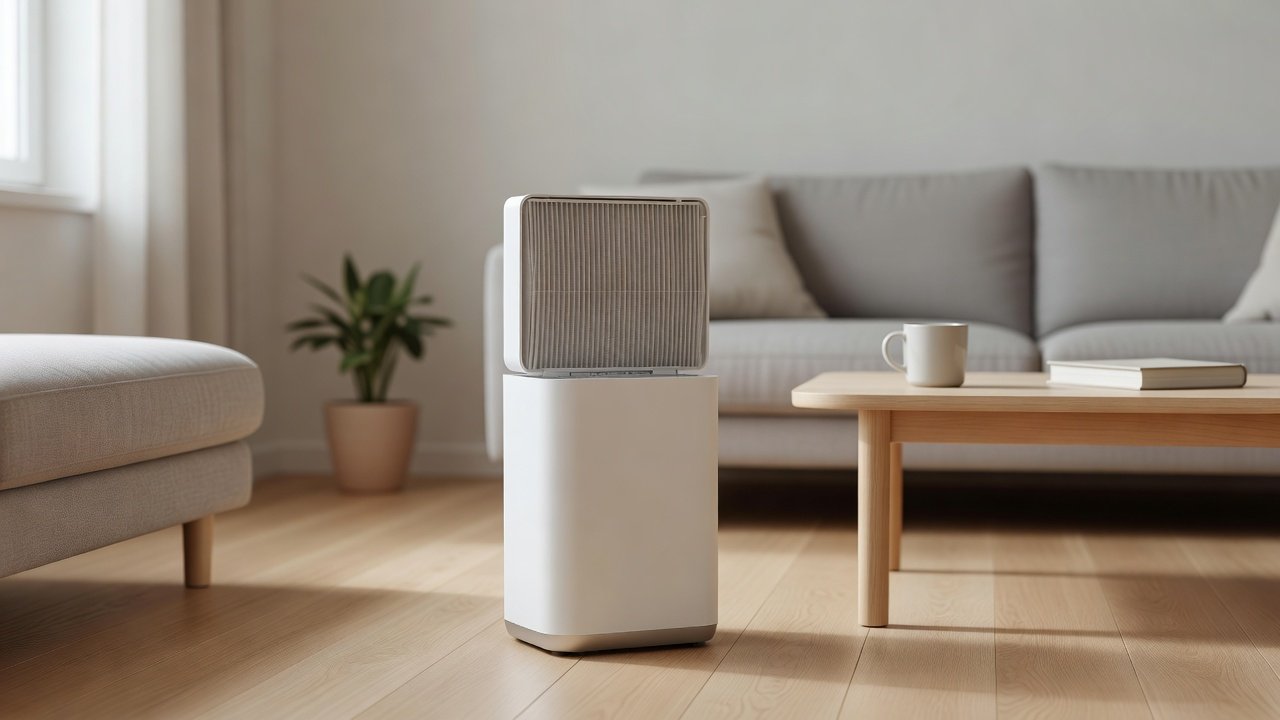
The pre-filter screen is the plastic or metal mesh that sits at the intake of many purifiers. It catches hair, lint and large dust before they reach the main filter. Because it does the dirtiest work, it is the part most likely to be clogged, and it is also usually the easiest to clean. A clean screen keeps airflow strong, keeps the fan quiet and extends the life of the main filter.
This guide shows how to find and remove the screen, how to clean it by vacuuming or rinsing, how long to dry it and how to reinstall it correctly. Check your manual first, because some screens are not washable. We have not tested these products ourselves, and designs differ by model.
Do
- Unplug and remove the screen carefully
- Vacuum first, rinse only if allowed
- Dry completely before reinstalling
Do not
- Scrub hard or use harsh cleaners
- Reinstall a damp screen
- Run the unit without the screen
Key Takeaways
- Unplug, remove the screen gently and vacuum it first.
- Rinse only if the manual allows, using lukewarm water and no scrubbing.
- Air-dry completely before reinstalling and never run the unit without the screen.
- Check every few weeks, and weekly in homes with pets, smoke or cooking.
- Replace a bent, torn or permanently clogged screen with a part made for your model.
Screen Types and Materials
Pre-filter screens come in several forms. Plastic mesh frames are common and easy to rinse. Fabric or foam pre-filters are softer and may be vacuum-only. Metal mesh screens, found on some units, tolerate washing but can bend. Each has its quirks: plastic frames can crack if forced, foam can tear when scrubbed, and metal can cut fingers or deform. Identify yours and handle it accordingly.
If your unit uses a combined pre-filter and main filter in one piece, there is no separate screen to clean, and you should follow the manual for the whole assembly.
Troubleshooting After Cleaning
If the unit is still weak after cleaning the screen, check the main filter, the intake and outlet, the seating of parts and the fan area for debris. If the unit makes new noises, check that the screen is seated and the cover is latched. If a musty smell appears, the screen may still be damp or the room may have moisture. Replace or re-dry the screen and look for the source of moisture. If the unit shows an error, consult the manual.
Keep a spare screen if the manufacturer sells one, so you can swap and dry the first in peace.
Quick Checklist
Unplug the unit. Remove the screen gently. Vacuum with a soft brush. Rinse only if allowed. Dry completely. Reinstall in the right orientation. Test airflow. Write down the date. Check again in a few weeks. Verify details for your model on the manufacturer’s page, because designs and cleaning rules differ.
Why the Screen Matters More Than You Think
It is easy to ignore a simple mesh, but it shapes how the whole purifier performs. A clogged screen restricts the airflow that the fan pulls, which makes the fan work harder, raises noise and reduces the amount of air cleaned. It also lets the dust that does pass through pile onto the main filter, shortening its life. A clean screen is the cheapest performance upgrade you can give your purifier.
If your purifier seems less effective than it used to be, the screen is the first place to check. It takes only minutes and often restores airflow.
Safety Around Cleaning
Unplug the unit and do not touch the fan blades. Keep water away from the electronics and the body of the unit. Never use a wet screen in the unit. Wash your hands after cleaning, especially if you handled pet hair or heavy dust. Dispose of vacuum contents promptly. If the unit smells burnt or has a damaged cord, stop using it and contact the manufacturer.
Replacement and Spares
Pre-filter screens are usually inexpensive and sometimes sold in multipacks. Check the part number for your model, and buy from the manufacturer or an authorized seller. Keep a spare so you can rotate them during cleaning. If you cannot find a screen for an older model, contact the manufacturer and ask about alternatives. Do not cut or modify filters to fit, since gaps let dust through.
Air Purifiers to Compare
The table below lists purifiers from our affiliate partner. Look for models with easy-to-remove, washable pre-filter screens and clear maintenance instructions.
Find and Remove the Screen
On many units the screen is on the back or side panel and pops off or slides out. On others it is inside the front cover. Unplug the unit and look for a latch, tab or button. Lift or slide the screen out gently, noting how it fits so you can put it back the same way. If it does not budge, check the manual rather than forcing it, because the frame can crack.
Place a towel or paper under the work area to catch dust. Take the screen outdoors or to a sink if you plan to rinse it.
Clean It
Start with vacuuming. Use a soft brush attachment, moving across the mesh and not pressing hard. Lift hair with your fingers or a lint roller. For heavier dirt, and if the manual allows washing, rinse under lukewarm running water from the clean side to the dirty side. A drop of mild dish soap is acceptable if the manual allows it, but rinse thoroughly. Do not scrub with a stiff brush, which can bend the mesh.
Shake off water and let the screen air-dry completely in a ventilated spot. Do not use a hair dryer or direct sun, which can warp the frame. Check that it is dry before reinstalling.
| Step | What to do | Avoid |
|---|---|---|
| Remove | Unplug, then slide or pop out gently | Forcing the frame |
| Vacuum | Soft brush, light strokes | Pressing hard |
| Rinse (if allowed) | Lukewarm water, clean side first | Hot water, scrubbing |
| Dry | Air-dry fully | Heat, damp reinstall |
| Reinstall | Match orientation, close firmly | Running without the screen |
Stubborn Hair, Grease and Lint
Pet hair and lint wrap around mesh. Use your fingers, a lint roller or a rubber glove wiped across the screen to lift it. Kitchen grease is stickier: after vacuuming, wash with warm water and a little mild dish soap if the manual allows, rinse well and dry thoroughly. Cigarette smoke leaves a sticky film that is hard to remove, so you may need to replace the screen. Do not use solvents or abrasive pads, which can degrade plastics and coatings.
If a screen stays stained after cleaning, that is fine as long as air passes easily. Hold it up to light. If you can see through most of the mesh, it is working.
Reinstall Correctly
Check the orientation. Many screens have a front and back or arrows showing airflow. Make sure the frame sits flush in the slot and the latch clicks. A screen that sits crooked lets dust slip around the edges, which loads the main filter. Close the cover and run the unit for a few minutes. Listen for rattles and feel the airflow. If the airflow is still weak, check the main filter.
Damaged or Missing Screens
A bent, torn or warped screen should be replaced. Using the unit without a screen is not recommended, because dust and hair will reach the main filter and shorten its life. If you cannot find a replacement, contact the manufacturer or an authorized retailer. Avoid improvised substitutes such as cut cloth or foam, which can restrict airflow or shed fibers. If your model has no separate screen, look at the manual for how the pre-filter is built into the main filter.
How Often to Clean
Check every two to four weeks and clean when you see dust or hair building up. Homes with pets, smoke or cooking may need weekly cleaning. A calendar reminder or a note on the unit keeps the habit. After a dusty event, such as renovation or a windy day, check immediately. Combine the screen check with a quick look at the filter indicator and the casing.
Safety and Handling Notes
Always unplug the purifier before removing parts. Do not touch the fan or electronics. Keep liquids away from the unit’s body and electronics. Wear a mask if dust bothers you, and clean the screen outdoors or near an open window. This article provides general information and is not medical advice. If you have allergies or asthma, ask your clinician what steps are right for you, or ask someone else to do the cleaning.
How to Choose
- Look for a pre-filter screen that is easy to remove.
- Check whether the screen is washable.
- Compare smoke CADR, room size and filter cost.
- Check filter access and indicator design.
- Avoid ozone-generating modes; the EPA advises against ozone-emitting air cleaners.
Do
- Match the unit’s rated coverage to your room first
- Run it consistently, not only when the air feels bad
- Leave space around the unit for airflow
- Replace filters on the maker’s schedule
Don’t
- Do not buy on looks or price alone
- Do not block the intake or exhaust
- Do not skip filter changes
- Do not expect a purifier to fix every source of pollution
Honest Limits
- This guide uses manufacturer information and public guidance from the EPA and AHAM, not our own lab tests.
- Features and room ratings change between model years, so confirm on the listing before you buy.
- A purifier is not a medical device and does not replace medical advice or treatment.
Who Should Skip This
When to See a Professional
Frequently Asked Questions
Can I wash the pre-filter screen?
Only if the manual says it is washable. Vacuum first, then rinse with lukewarm water and dry fully.
How long should it dry?
Until completely dry, which may take several hours to a day depending on conditions.
How do I remove hair from the screen?
Lift it with your fingers, a lint roller or a rubber glove, then vacuum.
Can I run the purifier without the screen?
It is not recommended, because dust will load the main filter faster.
Where do I find a replacement screen?
Contact the manufacturer or an authorized retailer, and check the part number for your model.
Bottom Line
Vacuum the screen every few weeks and rinse it only if the manual allows.
Dry it completely before reinstalling and never run the unit without it.
Related reading: sens,fan,bed
Sources: EPA, Guide to Air Cleaners in the Home; AHAM Verifide.