Last updated:
Disclosure: As an Amazon Associate we earn from qualifying purchases. This does not change what we recommend. See our affiliate disclaimer.
Desktop 3D printers that melt plastic filament can release ultrafine particles and volatile compounds, and the amounts depend on the material, temperature and printer design. Researchers have measured emissions from common filaments, and the practical lesson for hobbyists is the same: give the printer ventilation and distance, and use filtration to support those steps.
This guide explains what printers emit, how enclosures and ventilation help, what a True HEPA and carbon purifier can add and how to set up a printing space. Choices come from our affiliate table. Our guidance follows EPA and general health and safety information and is not based on our own lab testing. Always read the safety data sheet for your filament and resin.
A purifier helps if
- You print in a room you also use for other things
- You use an enclosure and good ventilation too
- You choose True HEPA with a real carbon bed
It will not replace
- Ventilation to the outdoors
- Printing materials with lower emissions
- Protective equipment for resin and post-processing
Key Takeaways
- Printers emit ultrafine particles and gases; amounts depend on material, temperature and design.
- Print in a ventilated area, ideally with an enclosure that vents outdoors or through filtration.
- A True HEPA and carbon purifier supports ventilation but does not replace it.
- Resin printing needs gloves, eye protection and careful handling; follow the SDS.
- Keep printers out of bedrooms, and avoid sitting next to them for hours.
- Use lower-emission materials and moderate temperatures where possible.
- Avoid ozone and ionizer modes, which the EPA advises against.
A Monthly Maintenance Routine for a Print Space
Once a month, check the purifier’s pre-filter for dust and filament debris, vacuum the printer area with a HEPA vacuum rather than sweeping, wipe surfaces with a damp cloth and check the enclosure vents and ducts for blockage. Check the date on the HEPA and carbon filters, and replace carbon more often if you print high-emission materials or smell odors. Test the smoke alarm and confirm the fire extinguisher is accessible. Keep a log of prints and materials, because it helps you notice when changes in smell or dust match changes in material or settings. A few minutes of routine care keeps the space cleaner and safer over time.
When to Reconsider Your Setup
If you notice persistent odors, headaches or irritation after printing sessions, stop, ventilate and reassess. Consider whether the printer is too close to where you sit, whether the enclosure is venting properly and whether the material is a good match for your space. If you plan to print for long hours or with higher-emission materials, consider moving the printer to a garage or dedicated room, adding outdoor-venting exhaust and getting advice from a qualified professional about ventilation. A purifier is helpful, but a better source control strategy often does more for your health than any filter.
Top Picks: Air Purifiers With HEPA and Carbon
These options come from our affiliate table. Check the listing for the current CADR, carbon amount and replacement cost.






What a Purifier Can Do
A True HEPA filter captures ultrafine particles that float in the room. A thick carbon bed can reduce odors and some gases. Together they reduce what lingers in the room, especially during and after prints. They do not remove all gases and they do not replace source control.
Material Choices
Lower-emission materials, such as PLA at appropriate temperatures, generally release less than ABS. Check the safety data sheet, choose reputable filament and keep print temperatures at the low end of the recommended range. Avoid printing materials that the maker does not recommend for desktop printers without proper ventilation.
Resin Printing Safety
Resin is a skin and respiratory irritant. Wear nitrile gloves and eye protection, handle resin in a ventilated area and follow the label for respirator needs. Do not wash resin parts in a kitchen sink. Cure and dispose of waste as directed.
Choosing and Placing a Purifier
Size by CADR for the room and place the unit a few feet from the printer, on the side where air flows past the printer toward the purifier. Do not place it so close that it pulls in hot or contaminated air at high speed. Plan to replace carbon more often during heavy use.
Sanding, Dust and Post-Processing
Wet sanding, dust extraction and a respirator rated for particulates reduce dust exposure. Keep post-processing outside living spaces. A purifier with a washable pre-filter catches larger dust, and a HEPA filter captures fine particles.
Kids, Pets and Fire Safety
Keep children and pets away from printers and materials. Printers can become hot, and some materials are hazardous. Install a working smoke alarm and avoid leaving a printer running unattended without safety features.
What a 3D Printer Emits
Filament printers heat plastic to a melting point, which can release ultrafine particles and gases. Different materials emit different amounts; for example, ABS and some nylon and specialty filaments tend to be more concerning than PLA, though PLA is not emission-free. Resin printers use liquid photopolymers that can irritate skin and release odors, and the fumes and uncured resin need careful handling.
Post-processing such as sanding, solvent smoothing and painting adds dust and fumes.
Ventilation and Enclosures
The most effective control is to print in a ventilated area, ideally with an enclosure that vents outdoors or through a filter. Keep the printer out of bedrooms and living areas, and avoid running it while you sit next to it for hours. If you can, run long prints when you are not in the room.
| Control | Role | Notes |
|---|---|---|
| Outdoor-venting enclosure | Removes emissions at the source | Most effective |
| Room ventilation | Dilutes what escapes | Open window and exhaust fan |
| True HEPA purifier | Captures fine particles | Supports the above |
| Carbon bed | Adsorbs some gases and odor | Limited capacity |
A Worked Example: Hobby Printer in a Spare Room
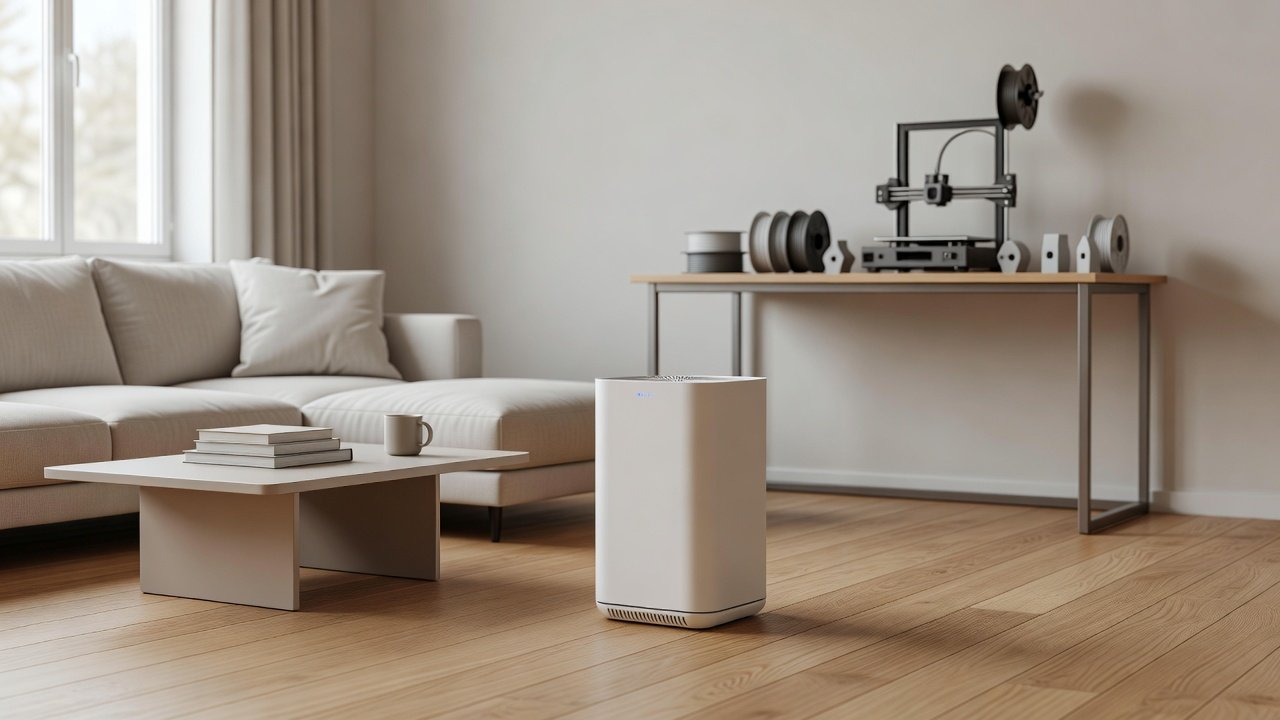
A hobbyist prints PLA in a 120 square foot spare room that also holds a desk. Move the printer to a shelf on the far side of the room, build or buy an enclosure with a duct to a window, and run an exhaust fan during prints. Place a True HEPA purifier with a CADR near 100 or more with a carbon bed about six feet from the printer, on low during prints and on medium for an hour afterward. Keep the door closed and avoid sitting in the room for long periods. When switching to ABS or nylon, increase ventilation and consider printing only when you can leave the room.
| Material | Emission concern | Extra step |
|---|---|---|
| PLA | Lower, not zero | Ventilate, moderate temperature |
| PETG | Moderate | Ventilate |
| ABS or ASA | Higher | Outdoor-venting enclosure |
| Nylon or specialty | Varies | Check the SDS, ventilate |
| Resin | Skin and fume hazards | Gloves, eye protection, ventilation |
Ultrafine Particles and Why They Matter
Ultrafine particles are extremely small and can reach deep into the lungs. True HEPA filters capture them efficiently, but only the air that passes through the filter. In a room with continuous emission, the concentration depends on how fast particles are produced and how fast they are removed through ventilation and filtration. That is why source control, ventilation and a purifier work together.
Enclosures and Filtered Venting
A printer enclosure reduces how much escapes into the room. Some enclosures include their own filter or vent to the outdoors. If you vent outdoors, ensure the exhaust discharge is away from windows and neighbors. If you use a filter inside the enclosure, replace it on schedule. Do not enclose a printer in a way that causes overheating or violates its instructions.
Temperature, Speed and Material Habits
Lower nozzle and bed temperatures often reduce emissions, within the range that gives good prints. Use materials from reputable sources with clear specifications. Store filament sealed and dry. Avoid burning or overheating failed prints. Know your material: read the SDS and any guidance from the manufacturer about ventilation.
Resin, Solvents and Cleanup
Isopropyl alcohol and other cleaning solvents have their own hazards and fumes. Use them outdoors or in a well-ventilated area, away from heat and flames. Follow local rules for disposal of uncured resin and solvent waste. Cure parts fully before handling without gloves.
Setting Up a Dedicated Print Room
If possible, dedicate a space for printing: a garage, workshop or spare room that you can ventilate. Keep flammable materials away, mount a smoke alarm and keep a fire extinguisher nearby. Put the purifier on a stable surface, away from splashes, and maintain filters on a schedule.
How to Choose
- Plan ventilation and an enclosure first
- Choose True HEPA and a thick carbon bed
- Size by CADR for the room
- Place the unit near but not on the printer
- Replace carbon often during heavy use
Do
- Match the unit’s rated coverage to your room first
- Run it consistently, not only when the air feels bad
- Leave space around the unit for airflow
- Replace filters on the maker’s schedule
Don’t
- Do not buy on looks or price alone
- Do not block the intake or exhaust
- Do not skip filter changes
- Do not expect a purifier to fix every source of pollution
Honest Limits
- This guide uses manufacturer information and public guidance from the EPA and AHAM, not our own lab tests.
- Features and room ratings change between model years, so confirm on the listing before you buy.
- A purifier is not a medical device and does not replace medical advice or treatment.
Who Should Skip This
Skip relying on a purifier instead of ventilation and the protective equipment on resin and solvent labels.
Skip ozone generators and ionizers; the EPA advises against them.
When to See a Professional
If you feel dizzy, nauseous or have breathing trouble while printing or post-processing, get fresh air immediately and seek medical care.
If you have asthma, are pregnant or have other health concerns, talk to your doctor before working with resin or high-emission materials.
Frequently Asked Questions
Do 3D printers release harmful fumes?
They can release ultrafine particles and gases depending on material and settings. Ventilation and enclosures reduce exposure.
Is PLA safe?
PLA generally emits less than some other filaments, but it is not emission-free. Ventilate.
Can a purifier protect me from resin fumes?
No. A household purifier is not respiratory protection. Follow the SDS and label.
What filter should I use?
True HEPA for particles and a thick carbon bed for odors and some gases.
Where should I place the purifier?
A few feet from the printer on the room side, away from splashes, with clear airflow.
Do enclosures help?
Yes, especially if they vent outdoors or through a filter.
Can I print in my bedroom?
Not recommended. Use a ventilated space you can leave.
How often should I change the carbon filter?
More often during heavy printing. Replace when odors return.
Do I need a respirator?
For resin and some post-processing, follow the SDS. A respirator may be required.
Are ozone purifiers a good idea?
The EPA advises against ozone generators.
Bottom Line
A True HEPA and carbon purifier can support a 3D printing space, but source control, enclosures and ventilation do the heavy lifting.
Follow safety data sheets for filament and resin, and keep printers out of sleeping areas.
Related reading: bed,fan,lw
Sources: EPA, Guide to Air Cleaners in the Home; AHAM Verifide.