Last updated:
Disclosure: As an Amazon Associate we earn from qualifying purchases. This does not change what we recommend. See our affiliate disclaimer.
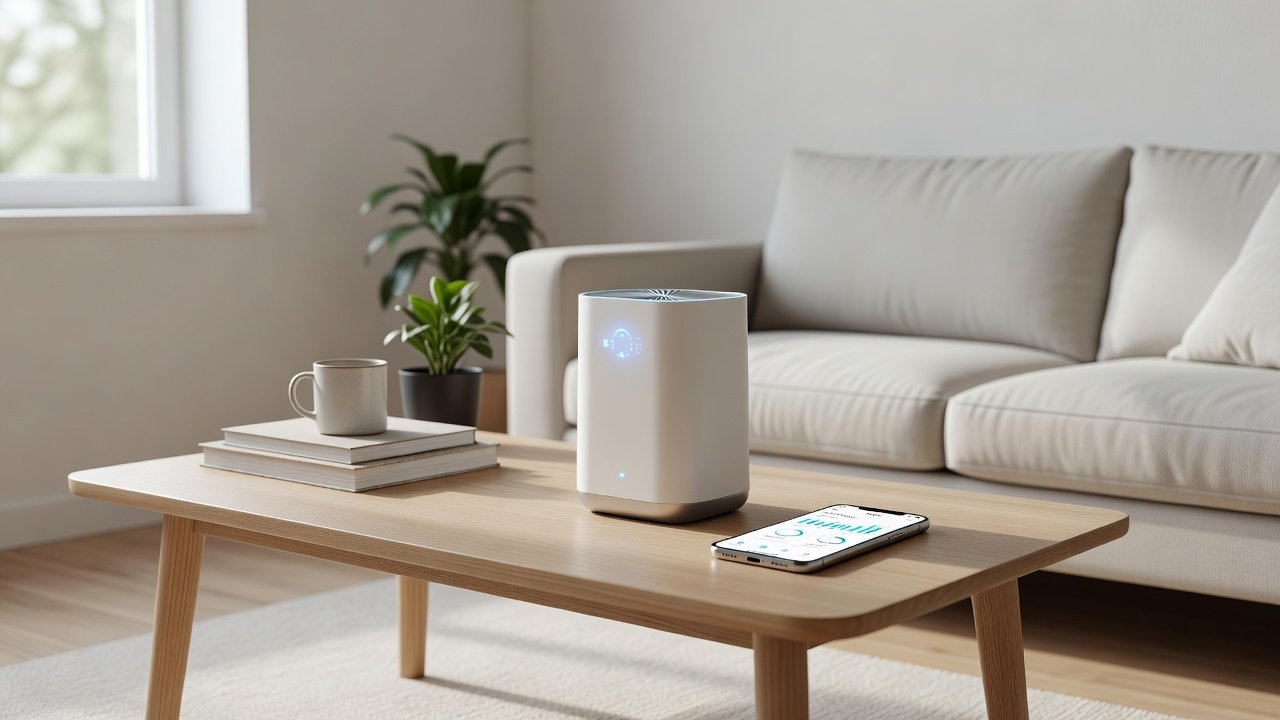
A smart air purifier connects to your phone so you can change settings, set schedules and check filter life remotely. Some also add an air quality sensor and voice assistant support.
The cleaning is the same as a standard purifier with the same filter and fan. What you pay extra for is control and information, so the question is whether you will use it.
This guide explains the smart features, what they cost you in privacy and reliability, which are worth having and which models to compare. The recommendations come from manufacturer information and public guidance from the EPA and AHAM, not our own tests.
Smart features are worth it if
- You will use schedules and remote control
- You like filter alerts and usage history
- You use voice assistants or a smart home
Skip smart if
- You prefer simple buttons
- You do not want another account or app
- You would rather spend on a bigger unit
Key Takeaways
- Smart features add convenience, not cleaner air; the filter and CADR still do the work.
- Useful smart features: auto mode with a sensor, scheduling, filter reminders and remote control.
- Particle sensors are rough indicators; use them for trends, not exact measurements.
- Check privacy settings, account requirements and what happens when Wi-Fi or the app is unavailable.
- Avoid paying extra for gimmicks; compare the price of a non-smart model with similar CADR.
- Make sure the unit still works fully from its physical controls.
- Avoid ozone and ionizer modes, which the EPA advises against.
Who Gets the Most From Smart Features
Smart features pay off most for people with irregular schedules, multiple rooms to manage, or a need to see patterns, such as someone tracking when indoor particle levels spike. A family that wants the bedroom unit quiet at night and boosted before bedtime can set a schedule once and forget it. A renter with one small room and a simple routine rarely needs more than a good fan dial.
Try the free version of the app on a friend’s unit or read the app store reviews before buying. App quality varies widely, and a clumsy app is a daily annoyance.
Comparing Smart and Non-Smart Models Fairly
Line up two models with similar CADR, filter types and noise. Note the price difference, the cost of replacement filters and the warranty. Then ask what the smart model adds: app control, sensor, scheduling. If the smart model also has a better fan or a quieter low setting, the premium may be justified for reasons other than the app.
Top Picks: Smart and Standard Air Purifiers
Six models. The Levoit Core 300S and Core 600S are app-connected models, while the others use controls on the unit. Check each listing for the current feature list.






What Makes an Air Purifier Smart
Smart purifiers pair with a phone app over Wi-Fi. Typical features are remote on and off, fan speed, schedules, filter life tracking and alerts. Some support voice assistants or smart home platforms.
Some use the word smart for sensors and auto mode, which work without Wi-Fi. Our guide to Wi-Fi and non-connected models explains the difference.
Smart Features Compared
| Feature | Useful? | Notes |
|---|---|---|
| App control | Useful if you adjust often | Needs an account and Wi-Fi |
| Schedules | Useful for set routines | Can be done with a timer on some basic units |
| Filter alerts | Handy if you forget filters | Many basic units have a filter light |
| Air quality readout | Nice to have | A sensor with auto mode works without Wi-Fi |
| Voice control | Only if you use it | Check support for your assistant |
Sensors and Auto Mode
An air quality sensor reads particles near the unit and, in auto mode, adjusts the fan for you. This works offline on most models that include it. Wi-Fi only adds the ability to see readings and history on your phone.
Sensors read the air at the unit, not everywhere in the room, so treat the numbers as a guide.
Privacy and Account Considerations
A smart purifier typically needs an account with the maker and a connection to its service. Read the privacy policy so you know what is collected and how it is handled.
If you prefer to avoid accounts, a non-connected unit with auto mode is a simpler choice.
When the App or Wi-Fi Fails
Remote features depend on your router, the maker\u2019s service and the app. If any of them fail or an update changes the app, remote control can stop for a while.
Check that the unit\u2019s own buttons still work without the app.
Is the Extra Cost Worth It?
Smart models often cost more than similar basic units. Spend the extra if you will use the features, and put the money into a bigger or better filtered unit if you will not.
Remember that filters remain the main recurring cost whichever type you choose.
Who Should Buy Smart
- People who want schedules and remote control
- Households with several purifiers to manage
- Anyone who forgets filter changes
- Smart home users
Who Should Skip Smart
- Renters and shared spaces where accounts are a hassle
- Budget buyers who want maximum cleaning for the price
- People who prefer simple controls
- Anyone who dislikes sharing data with companies
Getting the Most From a Smart Purifier
If you buy a smart model, use the features that matter. Set a quiet overnight schedule, turn on filter alerts and keep auto mode on if there is a sensor.
Keep the app and the unit\u2019s firmware updated according to the maker\u2019s instructions, and note how to control the unit manually in case the network is down.
Questions to Ask Before Buying Smart
Does the unit work fully with its own buttons? Which assistants does it support? How long does the maker support the app? What does the privacy policy say about data?
If you cannot answer these from the listing, a simpler model may be a safer choice.
A Worked Example: Is the App Worth $60 Extra?
Imagine two units with the same CADR and filters. One has an app and a sensor and costs about $60 more. Over three years, that is roughly $1.65 a month. If you will use scheduling, remote boost on the way home and filter alerts, it can be reasonable. If you will install the app once and never open it, the plain model is the better buy.
The honest test is to ask which smart feature you would actually use weekly. If you cannot name one, skip the premium.
| Feature | Useful for | Often overpriced when |
|---|---|---|
| Auto mode | Hands-off control | Sensor is cheap and noisy |
| Scheduling | Quiet at night, boost before bed | Basic timers already exist |
| Filter alerts | Remembering replacements | You already use a calendar |
| Voice assistants | Convenience | You rarely use voice |
| Air quality display | Seeing events | You treat it as precise |
How Sensors Behave
Consumer particle sensors detect light scattered by particles. They are useful for trends, such as seeing a spike when you cook, but are not laboratory instruments. They tend to respond better to larger particles than to the finest ones, and humidity and dust on the sensor can skew readings. Treat the numbers as a guide, not a measurement.
Auto mode that raises the fan when the sensor reads higher is helpful, as long as the lowest setting is still quiet and the unit does not ramp up constantly because of a sensitive sensor.
Setting Up Without Giving Up Control
- Use a separate email or minimal account where possible
- Review the permissions the app requests
- Turn off optional data sharing and marketing
- Check whether the purifier works fully without the app
- Update firmware when updates are offered by the maker
- Know how to reset the device if you move or sell it
Reliability and Longevity
Smart devices depend on apps, cloud services and Wi-Fi. If the maker discontinues the app, features may stop working. Check the warranty, how long the maker supports its products and whether the unit has a physical panel for essential controls. Prefer units where core functions, like fan speed and power, never depend on the cloud.
Smart Home Integration
If you use a hub or voice assistant, check compatibility before buying. Automation such as running the purifier when a door sensor trips or turning it on when you leave can be neat but adds complexity. Start with simple routines and keep manual control as backup.
How to Choose
- Decide whether you will really use schedules and remote control.
- Match the unit to your room size first.
- Check whether auto mode and a sensor are included.
- Read the privacy policy of the maker.
- Confirm the unit works with its own buttons if the app fails.
- Compare filter prices.
Do
- Match the unit’s rated coverage to your room first
- Run it consistently, not only when the air feels bad
- Leave space around the unit for airflow
- Replace filters on the maker’s schedule
Don’t
- Do not buy on looks or price alone
- Do not block the intake or exhaust
- Do not skip filter changes
- Do not expect a purifier to fix every source of pollution
Honest Limits
- This guide uses manufacturer information and public guidance from the EPA and AHAM, not our own lab tests.
- Features and room ratings change between model years, so confirm on the listing before you buy.
- A purifier is not a medical device and does not replace medical advice or treatment.
Who Should Skip This
Skip paying extra for smart features you will not use weekly.
Skip units whose core controls only work through the app.
When to See a Professional
If you have asthma or allergies, do not rely on a sensor reading to decide when to act on symptoms. Follow your doctor’s plan.
If a smart device malfunctions in a way that looks unsafe, such as overheating, unplug it and contact the maker.
Frequently Asked Questions
Do smart air purifiers clean better?
No. Cleaning depends on CADR and filters. Smart features add convenience, scheduling and monitoring.
Are the air quality sensors accurate?
They are rough indicators useful for trends. Dust, humidity and sensor placement can affect readings.
Is auto mode worth it?
It can be, if the sensor is reasonable and the low setting is quiet. It saves you from adjusting the fan manually.
Can I use a smart purifier without Wi-Fi?
Many can, using physical controls, but check before buying. Core functions should not depend on the cloud.
Are smart purifiers a privacy risk?
They collect usage and sometimes location data through apps. Review permissions, disable optional sharing and use a minimal account.
What happens if the app is discontinued?
App features may stop working. Choose models with physical controls and a track record of long-term support.
Do I need voice assistant support?
Only if you will use it. It is convenient for changing speed or turning the unit off without getting up.
How much more do smart models cost?
Often tens of dollars more than a similar non-smart model. Compare CADR, filters and filter prices too.
Can smart features replace filter changes?
No. Alerts remind you, but you still need to replace filters.
Are ionizer modes smart?
Not necessarily, and some produce ozone. The EPA advises against ozone-generating devices.
Bottom Line
Smart features are a convenience. Choose them if you will use them, and make sure the purifier itself is the right size with a true HEPA-type filter.
Otherwise a simple unit with auto mode is a good choice.
Related reading: wifi,sens,fan
Sources: EPA, Guide to Air Cleaners in the Home; AHAM Verifide.