Last updated:
Disclosure: As an Amazon Associate we earn from qualifying purchases. This does not change what we recommend. See our affiliate disclaimer.
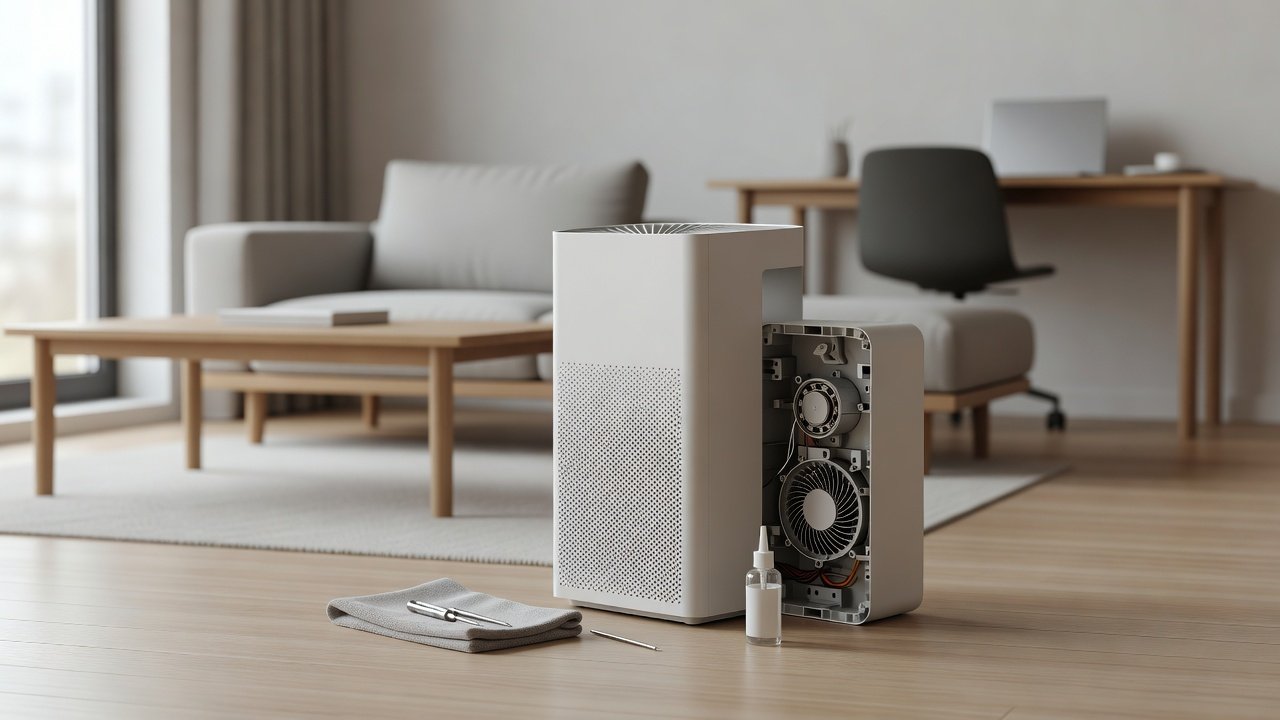
A squeaking or grinding fan makes many owners think of oil. In nearly all modern air purifiers, though, the fan motor uses sealed bearings or a sleeve designed to run without user lubrication, and adding oil can attract dust, damage plastics, void the warranty and even create a fire or safety risk. In most cases the right move is to clean the filters, check for obstructions and contact the manufacturer.
This guide explains why you should usually not lubricate the motor, what to check first and when professional help is appropriate. We have not tested these products ourselves, so follow your manual. Unplug the unit before any inspection and never run it with the cover off.
Check first
- Filters and pre-filter
- Loose parts and seating
- Hair or lint near the fan
Avoid
- Oiling a sealed motor
- Opening sealed assemblies
- Running a noisy unit for long
Key Takeaways
- Most purifier fan motors are sealed and not meant to be oiled
- Check filters, seating and obstructions before suspecting the motor
- Never use household oils or sprays on the fan
- Contact the manufacturer for grinding, squealing or burning smells
A Safe Troubleshooting Order for Fan Noise
Switch off and unplug. Clean the pre-filter. Check the main filter. Reseat the cover. Look for hair or debris. Place the unit on a stable surface. Test at each speed. If the noise remains, stop and contact support. This order covers the likeliest causes without opening anything.
What Technicians Might Do
Technicians may replace the fan assembly, clean the blades or replace a bearing. These jobs need the right parts and tools. For most households, a replacement fan or unit costs less than repair labor. Ask for a quote.
Preventing Fan Wear
Keep filters clean, run the unit at moderate speeds, keep the intake clear, avoid dust-heavy conditions and do not cover the unit. Good habits extend fan life more than any lubricant.
Choosing a Durable Replacement
Look for brands with accessible support, a clear warranty, easy filter access and a track record for quiet operation. Check the noise at low speed and the expected life of the fan. A slightly higher price may pay off in longevity.
Understanding Motor Types and Why It Matters
Brushless DC motors, common in newer purifiers, are controlled by electronics and rarely need maintenance beyond keeping them free of dust. Older AC induction motors may use sleeve bearings. In both cases, internal lubrication is part of the factory design. Wear shows up as noise and vibration, and the practical fix is replacement of the fan or the unit.
What Lubricants Are, and Why Household Ones Are Wrong
Household oils, penetrating sprays and greases are formulated for other purposes. Some contain solvents that attack plastics, others are too thick for small bearings or too thin to stay put. Spraying them near a fan can also coat the filter or the sensor. If a manufacturer ever specifies a lubricant, it will name a specific product and show where to apply it.
Checking Noise Systematically
Use your ears and a simple notebook. Does the sound change with speed? Does it come from the intake, the outlet or the base? Does it change when you press the housing? Does it happen right at startup or only after warming up? Notes like these help you or the support team narrow down the cause quickly.
Safety Notes for Motors and Fans
Always unplug before inspecting. Keep fingers and tools away from blades even when the unit is off, since a fan can spin if disturbed. Do not run the unit with the cover off. Do not use extension cords that are damaged or undersized. If the plug or cord is hot, stop using the unit.
Planning for End of Life
Purifiers are not forever. Fans wear out, and parts become hard to find after several years. Keep the manual and purchase information. Plan for replacement, and consider whether the filter cost and support for your current model still make sense before investing in repair.
Where to Learn More
Your manual and the manufacturer’s support page are the best sources. For general safety, consult consumer safety organizations in your country. Avoid forum advice that suggests opening sealed units or using oils unless it matches the manufacturer’s own instructions.
A Note on Warranty and Documentation for Noise Issues
If your unit is under warranty and the fan is noisy, keep a short video or audio recording of the noise. Support teams often ask for it. Record the speed, the date and what you checked. This helps them decide quickly whether a part is faulty and speeds up a repair or replacement.
Quieter Air Purifiers to Consider
If fan noise is wearing on you, consider a replacement sized to run on a low speed with a stated noise level. These picks come from the Hostinger affiliate plugin. Specs change by model year, so confirm noise ratings, filter costs and warranty on the product page.






Why Most Fan Motors Should Not Be Oiled
Many small motors in appliances are lifetime-lubricated and sealed. Oil added from outside may not reach the bearings, can attract dust and form sludge and can drip onto circuit boards or plastics. Some lubricants damage plastic and rubber parts. Using the wrong product can make noise worse or create a hazard.
Noise Is Usually Something Else
A squeal or rattle often comes from a loaded filter, a loose cover, a misaligned part, debris near the fan or the unit sitting on an uneven surface. Check these first. Clean the pre-filter, reseat the filters and the cover and check for hair or lint around the intake. These are easy and safe fixes.
If the Manual Mentions Lubrication
Very few purifiers call for lubrication, but if yours does, follow the manual exactly: the right product, the right location and the right quantity. Do not substitute household oils or sprays. Unplug the unit and make sure it is cool. If any step requires opening sealed assemblies, contact the manufacturer instead.
Signs of a Failing Motor
Grinding, scraping, a persistent squeal, a burning smell, intermittent stopping or a fan that will not spin freely suggest wear or damage. Stop using the unit, unplug it and contact the manufacturer. Continuing to run it can lead to overheating.
Safer Alternatives
Ask the manufacturer about service or replacement parts. If the unit is under warranty, do not open it. If it is old and out of warranty, compare repair costs with a new unit and consider a model with good support and a quiet fan.
Types of Bearings You Might Find
Sleeve bearings, ball bearings and fluid dynamic bearings are all used in small fans. Some are sealed from the factory, and others have a small oil port, but in consumer purifiers the latter is rare. Without a clearly described service procedure, assume that user lubrication is not intended.
Why Oil Can Make Things Worse
Oil on a fan collects dust, becoming a gummy paste that increases friction. It can migrate onto the filter, the housing and the electronics. Some oils release fumes when warm. Petroleum-based lubricants can soften plastic parts. These risks outweigh any temporary quiet.
Hair, Lint and Debris Near the Fan
Hair and lint wrapped around a shaft is a common cause of noise. With the unit unplugged, look into the intake with a torch. If you see debris you can safely remove with tweezers without touching the blades, remove it gently. If not, contact the manufacturer.
Balance and Vibration
Dust on one side of a blade can unbalance the fan and cause vibration that sounds like a motor problem. Gentle cleaning as the manual allows may fix it. A bent blade or loose fan needs professional attention. Do not bend blades back.
Warranty and Service
Opening the unit or oiling the motor can void the warranty. Contact the manufacturer with the model number and a description of the noise. Ask whether a replacement fan assembly or a repair is available and what it costs compared with a new unit.
How to Choose
- Look for a stated low noise level
- Match the CADR to the room so a low speed is enough
- Check the warranty and support
- Compare filter costs
Do
- Match the unit’s rated coverage to your room first
- Run it consistently, not only when the air feels bad
- Leave space around the unit for airflow
- Replace filters on the maker’s schedule
Don’t
- Do not buy on looks or price alone
- Do not block the intake or exhaust
- Do not skip filter changes
- Do not expect a purifier to fix every source of pollution
Honest Limits
- This guide uses manufacturer information and public guidance from the EPA and AHAM, not our own lab tests.
- Features and room ratings change between model years, so confirm on the listing before you buy.
- A purifier is not a medical device and does not replace medical advice or treatment.
Who Should Skip This
When to See a Professional
Frequently Asked Questions
Can I put oil on my air purifier fan?
Generally no. Most motors are sealed. Follow the manual and contact the manufacturer.
Why is my fan squeaking?
Often a loaded filter, loose part, debris or an unstable surface. Check those first.
Is WD-40 safe?
Not recommended on purifier fans. It can damage plastics and attract dust.
When should I replace the unit?
If the fan grinds or fails and repair is not practical.
Bottom Line
Most air purifier fan motors are sealed and should not be lubricated. Check the filters, seating and obstructions first, avoid oils and sprays and contact the manufacturer if the fan grinds, squeals or smells of burning. Replace the unit if repair is not practical.
Related reading: sens,fan,bed
Sources: EPA, Guide to Air Cleaners in the Home; AHAM Verifide.