Last updated:
Disclosure: As an Amazon Associate we earn from qualifying purchases. This does not change what we recommend. See our affiliate disclaimer.
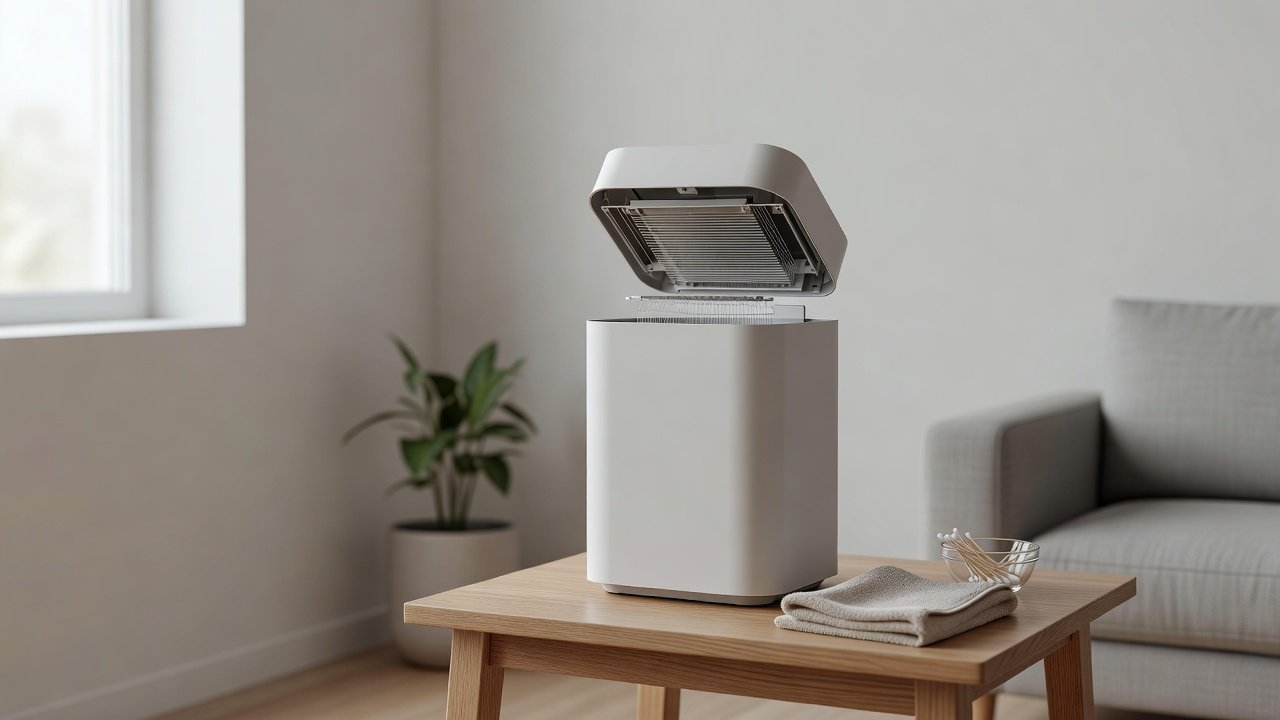
Some air purifiers include an ionization chamber, a small compartment with wires, needles or plates that charge particles in the air. Over time these parts can collect dust and film, and a dirty chamber can cause crackling, a faint smell or reduced performance. Cleaning it is a short job, but it needs care because the parts are delicate and are electrical components.
This guide covers safe cleaning in general terms. We have not tested these products ourselves, so always follow your manual first. Many manufacturers specify exactly which parts you may wipe, with what, and for how long to dry. Where the manual and this guide differ, follow the manual.
Before you clean
- Unplug the unit and wait before opening it
- Find the cleaning steps in your manual
- Have dry cotton swabs and a soft brush ready
Never do this
- Do not clean while plugged in or still warm
- Do not spray liquid into the chamber
- Do not bend or scrape wires, needles or plates
Key Takeaways
- Unplug and read the manual before touching the chamber
- Dry brush and dry swabs are the safest first tools
- Do not spray liquid into the chamber or bend delicate parts
- Consider switching the ionizer off and relying on HEPA filtration
Safety Notes Worth Repeating
Electrical parts and moisture do not mix. Always unplug the unit, never clean with the power on and never use a damaged cord or plug. Keep children and pets away while the unit is open, and keep small parts in a safe place. If you have a heart, lung or breathing condition, ask a medical professional before relying on any air-cleaning technology. A purifier is not a medical device.
When to Replace Rather Than Clean
If wires or needles are corroded, bent or broken, the chamber cannot be restored by cleaning. If the unit is old, parts are unavailable or the noise returns quickly, a replacement may be more sensible. Compare current filter-based models in the table above and confirm filter availability and room coverage before you buy.
Understanding Manufacturer Instructions for Ionizers
Ionizer designs vary widely. Some have a removable collector plate that can be washed, some have fixed wires behind a grille and some are sealed modules with no user-serviceable parts. The manual tells you which you have, which tools are allowed, how long to let parts dry and whether you should ever touch the wires. If you have lost the manual, search the manufacturer support page using the model number rather than relying on a generic guide.
Where a manual says the unit has no user-serviceable parts, do not open it. Contact support for service or replacement. This is especially important for any unit with high-voltage components.
Why a Dirty Chamber Matters for Performance and Noise
Dust and film on charged parts change how evenly the unit ionizes the air. The result can be a weaker effect, more audible crackling and a faint electrical smell. Dust can also bridge the gap between parts and cause small arcing sounds. Regular gentle cleaning keeps the unit quiet and effective, and it prevents small problems from turning into a service issue.
A Quick Maintenance Log for the Ionizer
Write down the date of each clean, what you saw and what you did. If the unit starts crackling a few weeks after a clean, the log tells you the interval and helps you decide whether the environment, such as a dusty room or a smoker, is the cause. Share the log with support if you need warranty service. It also gives you a simple reminder to check the filter and the chamber together.
Common Questions About Ionizer Cleaning Tools
People often ask whether compressed air, isopropyl alcohol or a toothbrush is acceptable. Compressed air in short, gentle bursts can move loose dust but can also blow it deeper or push moisture into the unit, so use it sparingly and only if the manual allows. Alcohol evaporates quickly but may still damage coatings on some parts, and a stiff toothbrush can bend delicate wires. A soft dry brush and dry swabs remain the safest starting point.
Fitting Ionizer Care Into Your Filter Routine
Link the chamber check to filter changes so you never forget. When you replace the HEPA or pre-filter, open the access panel, inspect the chamber and note its condition. If it looks clean, close it up. If it has a visible film, do the full clean, then reassemble. This single habit keeps the unit quiet and reduces the chance of a bigger problem later.
Filter-Based Air Purifiers to Compare
If you would rather avoid ionization altogether, a filter-based purifier is a simple alternative. These options come from the Hostinger affiliate plugin. Specs change by model year, so confirm filter type, whether an ionizer can be switched off and the room rating on the product page.






What an Ionization Chamber Does
An ionizer gives particles an electric charge so they stick to nearby surfaces or collector plates instead of staying in the air. Some purifiers use it alongside a HEPA filter, and others rely on it as the main technology. When wires, needles or plates are coated with dust, the charge becomes uneven and the unit can crackle, spark audibly or lose effectiveness.
Not every purifier has this part. Check your manual or the maker’s page to see whether yours has a user-serviceable ionization chamber or a sealed module that should not be opened.
Ozone and Why Many Owners Switch Ionization Off
Electrical discharge can produce ozone. The U.S. EPA advises against using air cleaners that intentionally generate ozone and notes that ozone is a lung irritant. Many ionizers are designed to produce very little, but some people prefer to avoid the question entirely and use the purifier in filter-only mode if the model allows it.
If your unit has an ionizer switch, consider turning it off, especially in bedrooms and in homes with asthma or lung sensitivity. A good HEPA filter does most of the cleaning work without it.
Step-by-Step: Cleaning the Chamber
Unplug the purifier and let it cool and settle for several minutes. Open the access panel as shown in the manual and look at the chamber with a torch. Remove loose dust with a soft, dry brush or a short burst from a hand blower, holding the unit so dust falls away from the chamber.
Then use a dry cotton swab to wipe each wire, needle or plate gently along its length. If your manual allows a lightly dampened swab, use only the liquid it names, wring it nearly dry and let every part dry completely before closing the unit. Never press hard, and stop if a part feels loose or bent.
How Often to Clean the Chamber
A light clean every one to three months suits most homes, and more often if you have pets, smoke or heavy dust. If the manual gives a schedule, use that. A simple rule is to inspect the chamber whenever you replace a filter, because the panel is already open and the unit is unplugged.
Signs the Chamber Needs Attention
Crackling or popping, a faint sharp smell, a visible film on the wires or plates, a service light on the display, or a purifier that seems to clean less than before can all point to a dirty chamber. If the sound is a steady buzz or sparking, stop using the unit and contact the manufacturer rather than cleaning it yourself.
Tools and Supplies for Safe Cleaning
You need very little: a soft dry brush, dry cotton swabs, a torch, a clean dry cloth and the manual. Avoid metal tools, abrasive pads and household sprays. Do not use water, vinegar or alcohol unless your manual specifically allows it, because liquid can leave a film or damage the electronics. Work on a clean, dry surface with good light, and take a photo before removing any part so you can put it back correctly.
Reassembling and Testing
Make sure every part is dry and in its original position, close the panel until it clicks and plug in the unit. Run it on low for a few minutes and listen. A quiet hum is normal. Crackling that continues, a smell of burning or a power button that fails to respond means you should unplug it and call support. Reset any maintenance timer or filter indicator if the unit has one.
Alternatives to Ionization for Cleaner Air
If you decide you would rather not use an ionizer, focus on what the evidence supports: a properly sized purifier with a true HEPA filter, carbon for odors if needed, regular filter changes, source control and good ventilation when outdoor air is clean. This approach avoids the maintenance of ionizing parts and the ozone question.
How to Choose
- Choose a model where the ionizer can be switched off
- Prefer true HEPA filtration as the main cleaning method
- Look for clear manual instructions for any serviceable parts
- Avoid products that advertise intentional ozone output
Do
- Match the unit’s rated coverage to your room first
- Run it consistently, not only when the air feels bad
- Leave space around the unit for airflow
- Replace filters on the maker’s schedule
Don’t
- Do not buy on looks or price alone
- Do not block the intake or exhaust
- Do not skip filter changes
- Do not expect a purifier to fix every source of pollution
Honest Limits
- This guide uses manufacturer information and public guidance from the EPA and AHAM, not our own lab tests.
- Features and room ratings change between model years, so confirm on the listing before you buy.
- A purifier is not a medical device and does not replace medical advice or treatment.
Who Should Skip This
When to See a Professional
Frequently Asked Questions
Can I wash the ionization chamber with water?
Only if your manual says so. Most are cleaned with dry brushes and swabs, and liquid can damage electronics.
Do ionizers make ozone?
Some can in small amounts. The EPA advises against ozone-emitting air cleaners, so many owners switch ionization off when possible.
How often should I clean it?
About every one to three months, or at each filter change, unless your manual says otherwise.
Why does my purifier crackle?
Dust on the wires or plates can cause a crackle. If it continues after cleaning, contact the manufacturer.
Bottom Line
Cleaning an ionization chamber is quick when done carefully: unplug, brush, wipe with dry swabs, dry fully and close. Follow your manual for what liquids are allowed, never force delicate parts, and consider using the purifier in filter-only mode if you can. If crackling, odors or sparking continue after cleaning, stop using the unit and contact the manufacturer.
Related reading: sens,fan,bed
Sources: EPA, Guide to Air Cleaners in the Home; AHAM Verifide.