Last updated:
Disclosure: As an Amazon Associate we earn from qualifying purchases. This does not change what we recommend. See our affiliate disclaimer.
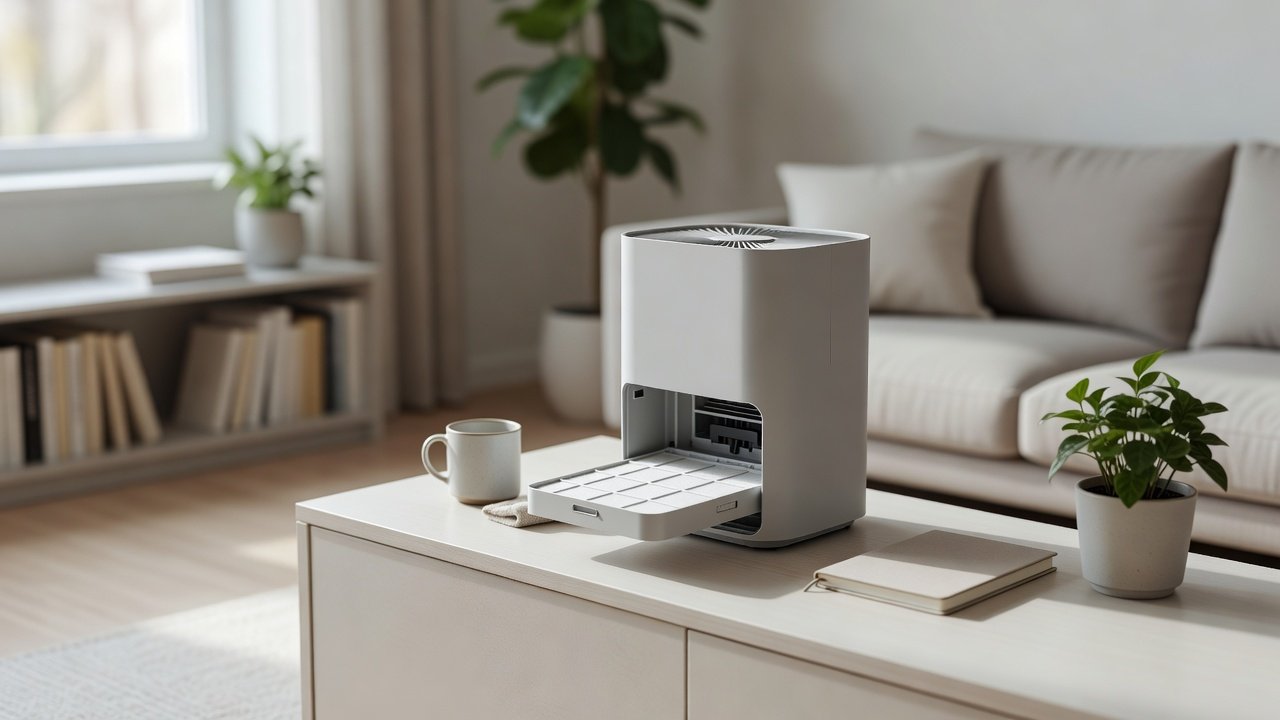
The filter tray, sometimes called a filter drawer, cradle or housing, is the part that holds your filters in place. Over time dust, hair and debris collect in the tray and around its edges, and that debris can stop the filter from seating flat, let air bypass the filter and add to noise. Cleaning the tray is quick, and it is a good habit to do every time you change a filter.
This guide shows a safe method. We have not tested these products ourselves, so follow your manual, since tray designs differ between models. Keep electronics dry, never force parts and unplug the unit before you start.
Do
- Unplug first
- Vacuum the tray with a brush attachment
- Wipe with a barely damp cloth and dry
Do not
- Wash the tray if it contains electronics
- Spray cleaners into the unit
- Force a tray that is stuck
Key Takeaways
- Unplug and photograph the tray before removing it
- Brush and vacuum dust, then wipe plastic with a barely damp cloth and dry fully
- Check the seal and the tray seat for damage
- Reassemble in the right order and test on low
Pet Hair and Lint in the Guides
Pet hair wraps around rails and clips and can jam a tray. Use a plastic pick or a toothpick to lift it out, then vacuum. In homes with pets, check the guides monthly. Avoid metal tools that can scratch plastic or damage tabs.
Cleaning Multiple Trays or Compartments
Some units have more than one tray, such as one for a pre-filter and another for a HEPA or carbon filter. Clean each in turn and keep them in order. Label them with a sticky note if needed. Note which tray holds which filter in your photos.
When to Replace the Tray or Unit
If the tray is cracked and replacement parts are not available, or if repeated leaks make the unit ineffective, replacing the unit may be sensible. Compare the cost of parts and filters with a new purifier and check the warranty.
A Printable Checklist
Unplug. Photograph. Remove tray. Brush and vacuum. Wipe plastic. Dry. Inspect seal. Clean the seat. Reassemble. Test. Log the date. Keep this checklist near the unit.
Dust Streaks and Other Signs of Air Bypass
If you remove the filter and see dark streaks along its edge or on the tray, air has been slipping around the filter instead of through it. Check the gasket for compression or tears, confirm the filter is the right size and make sure the tray clicks fully into place. Some filters have a slight bow when new, which flattens as the cover closes, so reseat the filter before assuming it is faulty.
Keeping Spare Trays and Parts
If your manufacturer sells replacement trays, gaskets or clips, consider keeping one spare, especially if the unit is used heavily. Note the part numbers in your log. If a part is discontinued, contact the manufacturer or an authorized service center before improvising a repair.
Cleaning Order That Saves Time
Start with the exterior, then remove the tray, clean the interior seat, clean the tray, inspect the gasket and finally reassemble. Working from top to bottom lets dust fall to areas you have not cleaned yet and prevents recontamination. Finish by wiping the exterior again and checking the cord.
Making Tray Cleaning Part of a Routine
The easiest way to keep the tray clean is to link it to an event you already track. Each time you replace a filter, clean the tray. Each time you wash the pre-filter, wipe the tray edges. Put a note in your calendar and keep a microfiber cloth with the spare filters. Small, regular checks prevent a build-up that is harder to remove, and they also mean you catch a cracked tab or a worn seal early.
What a Clean, Well-Seated Tray Does for Performance
When the tray is clean and the filter sits flat against its seal, all the air passes through the filter media. That means better particle capture for the same fan speed, lower noise and less strain on the motor. If you have noticed that your unit has become louder or less effective, a quick tray and seal check is a sensible first step before you decide the filter or the unit is at fault.
Air Purifiers With Easy-Access Filter Trays
If you are replacing a unit, look for a design with a simple, clearly labeled tray, a good gasket and affordable replacement filters. These picks come from the Hostinger affiliate plugin. Specs change by model year, so confirm filter type and replacement costs on the product page.






What the Filter Tray Does
The tray holds the filter in the right position and keeps it pressed against a seal, so that air flows through the filter instead of around it. It may also guide the filter in and out of the unit and hold a pre-filter. Some trays are simple plastic frames; others include latches, rails or small switches. Knowing what yours does helps you clean it without damaging it.
Preparation
Unplug the purifier, let it cool and lay a towel on a flat surface. Take photos of the tray and filters in place so you can reassemble them in the same order. Check the manual to see how the tray is released, and look for a latch or release button before you pull.
Removing and Inspecting the Tray
Slide or lift the tray out gently. Look at the tray and the space where it sits with a torch. Check for hair, lint, dust, cracks and bent tabs. If the tray is cracked or warped, contact the manufacturer for a replacement, since a damaged tray can cause air leaks.
Cleaning the Tray
Tap or brush loose dust into a bag. Vacuum the tray with a brush attachment. If it is made of plastic and has no electronics, wipe it with a barely damp cloth and a drop of mild soap, then dry it fully with a towel. If the manual says the tray is washable, rinse it and air dry it for as long as needed. Do not put the tray in a dishwasher or use hot water, which can warp it.
Cleaning the Tray Seat and Seal
Vacuum the opening where the tray sits and wipe the gasket or foam seal with a dry cloth. Make sure the seal is intact, flat and free of dust. A worn seal can leak air around the filter, so contact the manufacturer if it is damaged. Check that nothing is left inside the unit.
Reassembly and Testing
Put the tray back with the filters in the right order and direction. Close the cover until it clicks, plug in the unit and run it on low, then medium. Listen for rattles or whistles and check that air flows normally. Reset the filter timer if your model has one and write down the date.
Common Tray Problems
A tray that sticks may have debris in the guides or a filter at an angle. A tray that rattles may be loose or missing a clip. A tray that does not close may have a folded gasket. Check each cause before assuming the tray is broken. Replacement trays are often available from the manufacturer.
How Often to Clean the Tray
Check the tray every time you change or clean a filter, and give it a quick brush every month in dusty homes or homes with pets. A full clean twice a year is enough in cleaner homes. If you notice dust around the filter edges or hear a whistle, clean it sooner.
Tools and Supplies
A soft brush, vacuum with a brush attachment, microfiber cloths, cotton swabs, a small torch and a towel. A phone camera helps record the order of parts. Avoid sharp tools, harsh chemicals and abrasive pads.
Seal Care and Air Bypass
If air bypasses the filter, the unit may seem to run fine while cleaning poorly. Check that the gasket is intact, that the filter sits flat and that the cover clicks shut. A fresh filter with a bad seal performs worse than a seated older filter. If you see dust streaks near the edges of the filter, suspect a leak.
Safety Notes
Unplug before cleaning. Do not run the unit with the tray out. Do not use liquids on electronic parts. Do not force or bend tabs. If you find damaged wires or burn marks, stop using the unit and contact the manufacturer.
How to Choose
- Look for a tray that slides out smoothly without tools
- Check that the gasket is easy to inspect
- Prefer a washable pre-filter
- Compare filter costs and availability
Do
- Match the unit’s rated coverage to your room first
- Run it consistently, not only when the air feels bad
- Leave space around the unit for airflow
- Replace filters on the maker’s schedule
Don’t
- Do not buy on looks or price alone
- Do not block the intake or exhaust
- Do not skip filter changes
- Do not expect a purifier to fix every source of pollution
Honest Limits
- This guide uses manufacturer information and public guidance from the EPA and AHAM, not our own lab tests.
- Features and room ratings change between model years, so confirm on the listing before you buy.
- A purifier is not a medical device and does not replace medical advice or treatment.
Who Should Skip This
When to See a Professional
Frequently Asked Questions
Can I wash the filter tray?
Only if the manual says it is washable and it has no electronics. Dry it fully before reuse.
How do I know if the tray is damaged?
Look for cracks, warped edges, bent tabs or a gap when the cover is closed.
How often should I clean the tray?
Each time you change a filter, plus a brush-down monthly in dusty homes.
What if the tray will not slide in?
Check for debris, filter direction and a folded gasket. Do not force it.
Bottom Line
Cleaning the filter tray takes a few minutes: unplug the unit, remove the tray, brush and vacuum away dust, wipe plastic parts with a barely damp cloth, dry thoroughly, inspect the seal and reassemble in the right order. Keep electronics dry, replace damaged trays or seals and repeat whenever you change a filter.
Related reading: sens,fan,bed
Sources: EPA, Guide to Air Cleaners in the Home; AHAM Verifide.