Last updated:
Disclosure: As an Amazon Associate we earn from qualifying purchases. This does not change what we recommend. See our affiliate disclaimer.
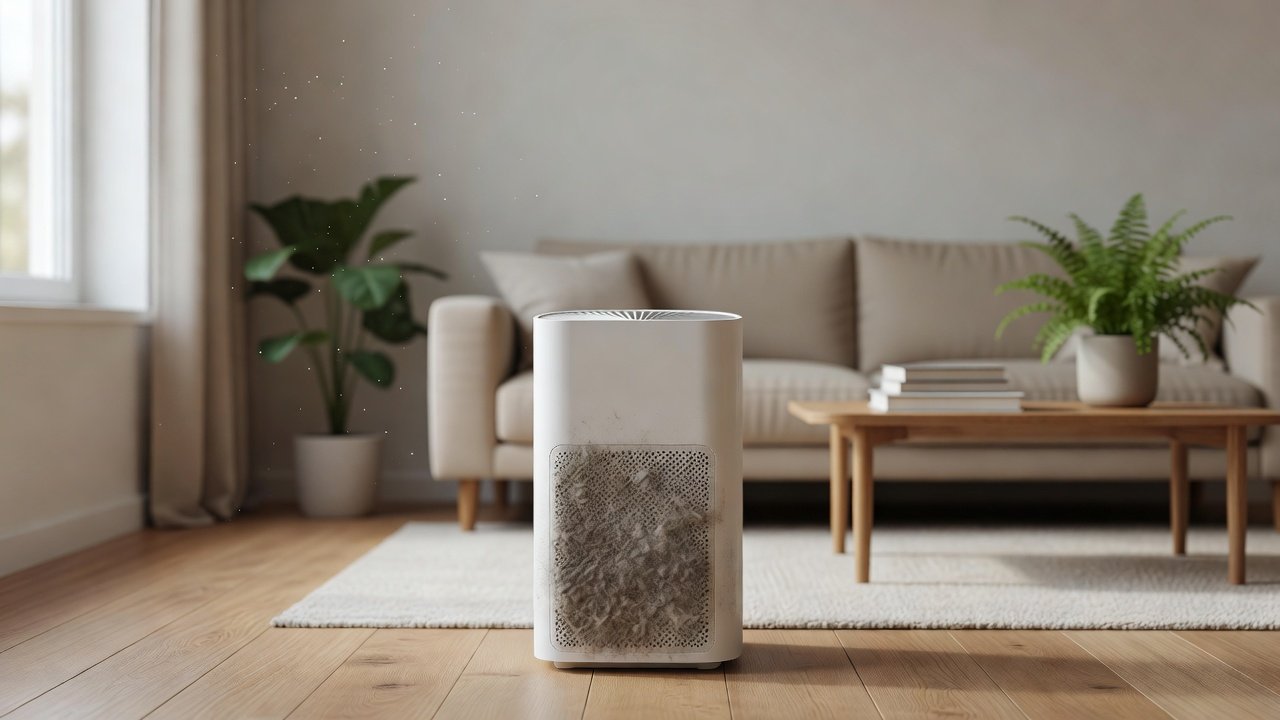
Yes. A dirty air purifier generally cleans less air per hour than a clean one. As the pre-filter and main filter fill with dust, airflow through the unit drops, so the amount of filtered air it delivers, its effective CADR, falls. The fan may run harder to compensate, which can mean more noise and more electricity use. In severe cases, the filter can be so loaded that very little air passes.
This guide explains why loading reduces efficiency, how much it matters in real use, what to check and how to restore performance. It is general information. We have not tested these products ourselves, and the effect varies by model, filter type and how dirty the air is, so check your manual and the manufacturer’s guidance.
What dirt does
- Lowers airflow and effective CADR
- Raises fan noise and strain
- Can release odors or trapped particles
How to fix it
- Clean the pre-filter and casing
- Replace a loaded main filter
- Clear the intake and outlet
Key Takeaways
- A dirty or clogged purifier moves less air, so its effective CADR and cleaning rate fall.
- A clogged pre-filter is the most common cause and the easiest fix.
- Fans may run louder or weaker as filters load, and auto mode can hide the problem.
- Saturated carbon stops adsorbing odors even when airflow seems fine.
- Cleanliness helps, but sizing by smoke CADR still sets what the unit can achieve.
A Simple Test You Can Do at Home
Compare how the unit feels and sounds on the same setting before and after cleaning. Hold your hand a few inches from the outlet and note the airflow. Listen for the pitch and loudness of the fan. If your unit has a sensor, note how long it takes to clear a spike, such as after a cooking event, before and after maintenance. These informal checks are not lab measurements, but they show whether cleaning made a real difference.
Take a photo of the pre-filter before and after cleaning. A visible difference tells you how fast your home loads the screen and helps you set a schedule.
Examples of Typical Scenarios
A family with a dog notices the purifier is loud and weak after two months. The pre-filter is packed with hair. After cleaning, airflow returns. A smoker’s household finds the unit smells stale after a few months. The carbon is saturated, and replacing the filter fixes the smell. A renter in a dusty building sees the sensor stuck on red. The sensor window is dirty, and cleaning it resets the readings. A quiet apartment finds no change after six months, and a quick check shows the filter is fine.
These show that the right fix depends on the symptom, and that cleaning often restores most of the lost performance.
When Cleaning Is Not Enough
If the main filter is at the end of its life, if the fan is worn, or if the unit is too small for the room, cleaning cannot fix efficiency. In those cases, replace the filter or consider a larger unit. Check the warranty if the unit is new and underperforming. Keep the receipt and manual, and contact the manufacturer with a clear description.
This article provides general information and is not medical advice. If you have a respiratory condition, ask your clinician what steps are right for you, and verify details for your model on the manufacturer’s page.
Building a Maintenance Habit
Efficiency loss creeps in slowly, so habits matter. Choose a day each month for purifier checks, such as the first Saturday. Do the pre-filter check, a casing wipe and a look at the indicator. Replace filters on schedule and note the date. Keep a spare filter on hand and a small kit of supplies. If you have several purifiers, do them in one go. The routine takes minutes and prevents most efficiency problems.
If you live with others, share the job. A shared note or a chart on the fridge helps everyone know when it is due. Teach children not to put items on or against the unit.
Why Sizing and Placement Still Matter
Even a perfectly clean unit will underperform if it is in the wrong place. Keep a few inches of clearance around it, avoid corners and keep it away from curtains. Close doors so the unit can clean the room it serves. Make sure the CADR matches the room. If you notice the room is not cleaner despite a clean unit, check size and placement before blaming the unit. Verify specifications on the manufacturer’s page, and use independent reviews to understand typical performance for your model.
Air Purifiers to Compare
The table below lists purifiers from our affiliate partner. Look for models with filter indicators, easy access and washable pre-filters that make it simple to keep the unit clean.
Why Dirt Reduces Efficiency
A purifier works by pulling room air through a filter. The more a filter fills, the more resistance the fan faces. Many fans cannot make up the difference, so airflow falls. Less airflow means less air passes through the filter each hour, which lowers the effective CADR and slows the rate at which the room is cleaned.
A dirty pre-filter makes this worse because it blocks the intake. A dirty fan or housing adds noise and imbalance. A saturated carbon layer stops adsorbing odors even if airflow seems fine, so efficiency for gases drops as well.
How Much Does It Matter?
It depends on the filter and the load. HEPA filters tend to hold up well until they are heavily loaded, and then airflow can fall noticeably. Pre-filters clog sooner, and a clogged screen can cut airflow sharply. In homes with pets, smoke or dust, the effect can show up in weeks. In clean homes, it may take months.
Some designs, such as sensors with auto mode, compensate by raising the fan speed, which hides the problem but increases noise and wear. If your unit is always running on high, it may be fighting a dirty filter.
| Dirty part | Effect | Fix |
|---|---|---|
| Pre-filter screen | Weaker airflow, louder fan | Vacuum or wash if allowed |
| Main HEPA filter | Lower airflow, less capture over time | Replace per manual |
| Carbon layer | Odors return | Replace carbon or filter |
| Fan and housing | Noise, imbalance | Vacuum compartment gently |
| Sensor window | Wrong readings | Clean per manual |
Noise and Energy Effects
As filters load, the fan has to push against more resistance. In some designs it speeds up, which is louder. In others it slows, and airflow drops. Either way, the cost is performance. Electricity use can increase when the fan runs harder, though the effect is usually modest next to the loss in cleaning. A purifier that is clean runs quieter at the same airflow, which is why maintenance is part of getting the quiet you paid for.
If your unit has become noticeably louder or weaker, treat that as a maintenance signal before you assume it is failing.
Can a Dirty Filter Release Particles?
A loaded filter can shed some trapped dust when handled roughly or when airflow changes, and a damp filter can develop odors or mold. This is another reason to replace filters on schedule and handle them gently. A filter that smells musty should be replaced. A filter that looks packed with dust after a smoke event should be replaced even if the interval has not ended.
Do not shake or bang a filter to clean it unless the manual says so, because you can damage the media and spread dust.
What to Check First
Unplug the unit and look at the pre-filter. If it is covered in dust or hair, clean it. Check the main filter for dark packing, moisture or damage. Make sure the intake and outlet are clear of furniture and curtains. Vacuum dust from the compartment gently. Check the sensor window if your unit has one. Reinstall everything correctly and run the unit. Feel the airflow and listen to the noise. If it improved, you found the problem.
If it did not improve, replace the main filter if it is near or past its interval, and check the fan for debris. If the problem remains, contact the manufacturer.
How Often to Maintain to Avoid Efficiency Loss
A monthly pre-filter check and a manual-based filter replacement cover most homes. Shorten the schedule for pets, smoke, cooking and heavy dust. Keep spare filters, and replace sooner after events such as renovation, wildfire smoke or heavy cooking. Log dates so you know how long a filter lasted and can adjust.
Does a Clean Purifier Always Work Perfectly?
No. Cleanliness is only one factor. Efficiency also depends on the unit’s CADR, the size of the room, ceiling height, doors being closed, the location of the unit and the pollution sources present. A clean but undersized purifier still cleans slowly. Use the AHAM guideline of a smoke CADR near two-thirds of floor area for an eight-foot ceiling, and add margin for pets and smoke. Maintenance keeps a unit close to its rated performance, and sizing sets what that performance can achieve.
How to Choose
- Choose a model with easy filter access.
- Look for a washable pre-filter.
- Check the filter interval and cost.
- Compare smoke CADR with your room size.
- Avoid ozone-generating modes; the EPA advises against ozone-emitting air cleaners.
Do
- Match the unit’s rated coverage to your room first
- Run it consistently, not only when the air feels bad
- Leave space around the unit for airflow
- Replace filters on the maker’s schedule
Don’t
- Do not buy on looks or price alone
- Do not block the intake or exhaust
- Do not skip filter changes
- Do not expect a purifier to fix every source of pollution
Honest Limits
- This guide uses manufacturer information and public guidance from the EPA and AHAM, not our own lab tests.
- Features and room ratings change between model years, so confirm on the listing before you buy.
- A purifier is not a medical device and does not replace medical advice or treatment.
Who Should Skip This
When to See a Professional
Frequently Asked Questions
Does a dirty filter make an air purifier less effective?
Yes. A loaded filter reduces airflow and lowers the effective rate at which the room is cleaned.
Can a dirty purifier make my air worse?
A badly neglected or damp filter can smell or shed dust. Replace filters on schedule and keep the unit dry.
Why is my purifier louder than before?
A clogged pre-filter or filter, or dust on the fan, are common causes. Check and clean.
How do I restore performance?
Clean the pre-filter, clear the vents, vacuum the compartment and replace the main filter if it is due.
Do I need to clean it if the light is off?
Check anyway. Indicators count hours and may not reflect your home’s dust.
Bottom Line
A dirty purifier delivers less clean air, runs louder and wastes energy.
Keep the pre-filter clean and replace filters on schedule to keep performance close to the rated CADR.
Related reading: sens,fan,bed
Sources: EPA, Guide to Air Cleaners in the Home; AHAM Verifide.