Last updated:
Disclosure: As an Amazon Associate we earn from qualifying purchases. This does not change what we recommend. See our affiliate disclaimer.
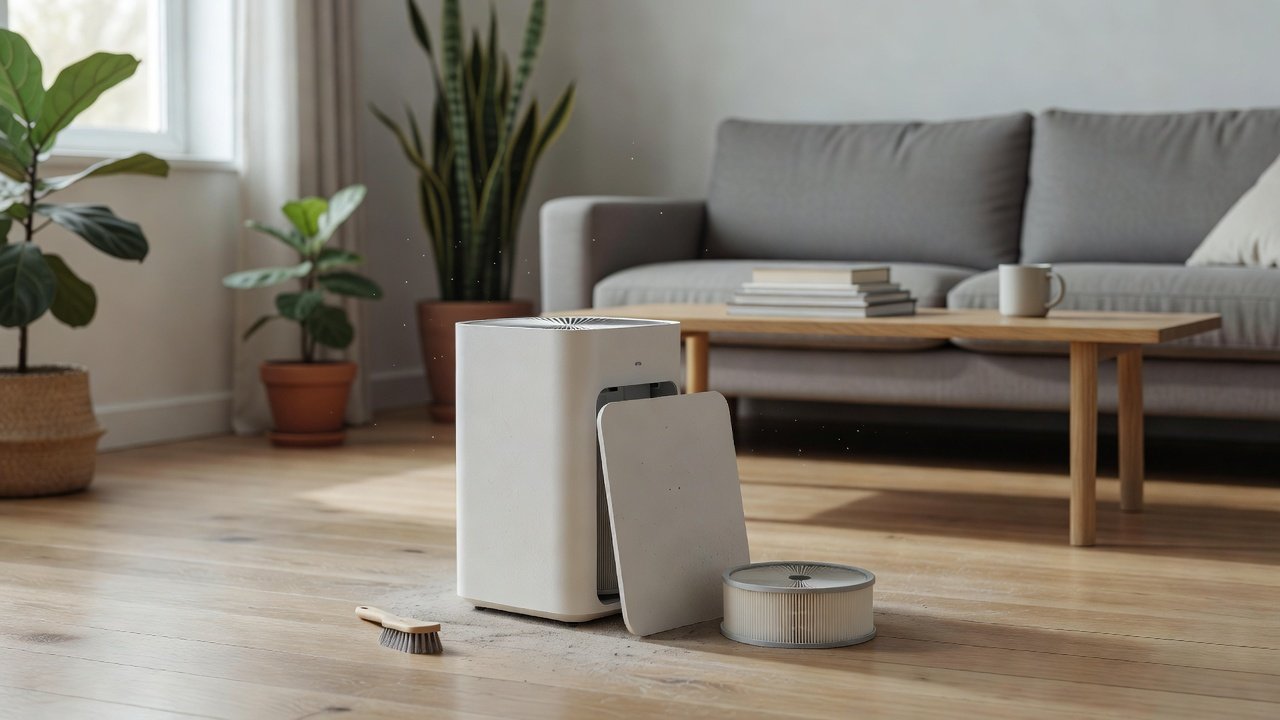
If your air purifier started rattling, humming or shaking right after you cleaned it, the cause is almost always something you touched during the cleaning: a filter that is not fully seated, a cover that is not latched, a pre-filter that went back in crooked, or a bit of debris that dropped into the fan housing. These are all fixable at home in a few minutes.
This guide walks through the checks in the order that solves most cases fastest. We have not tested these products ourselves, so the steps are general and based on how fan-driven purifiers are built. Always check your model manual for the exact way your filters and cover fit.
Most likely causes
- Filter not fully seated or inserted backwards
- Cover or filter door not latched
- Pre-filter or foam sleeve misaligned
- Debris or a water droplet near the fan
Fastest fixes
- Unplug, remove everything, re-seat in the correct order
- Check the base sits flat on a hard surface
- Wipe fan housing with a dry cloth
- Stop use if you hear grinding or smell burning
Key Takeaways
- Most post-cleaning vibration is a filter that is not seated or a cover that is not latched
- Check for debris, water and a wobbly base before blaming the motor
- Grinding, burning smells or shaking at all speeds means stop and contact the manufacturer
- Take a photo of the filter order before you open the unit next time
Noise Types and What They Usually Mean
A buzz that changes when you press on a panel is a loose part. A fluttering or flapping sound is a filter or sleeve moving in the airflow. A whistle is often an air leak around a poorly seated filter or an unlatched door. A low hum that rises and falls with the fan speed is normal motor noise. A rhythmic tick can be a bit of debris touching the fan guard.
Matching the sound to the cause saves time. Try one fix at a time, then re-test, so you know which step solved it.
Placement Tips That Reduce Vibration
Keep the purifier on a solid floor or sturdy table rather than a light shelf. Leave the clearance your manual recommends on all sides, since blocked intakes make the fan work harder and noisier. Avoid placing it on a rug that can shift or on the same surface as a speaker or other vibrating device. If you use it in a bedroom, test on sleep mode after the repair to confirm the quiet level is back.
A purifier that is properly placed and seated also moves air more effectively, which means you may be able to run it on a lower speed.
Spare Filters and Parts to Keep On Hand
Buy replacement filters from the manufacturer or an authorized seller, and check the model number carefully. A filter that is slightly the wrong size will never seat correctly and can rattle for months. Keep spare pre-filters if your model uses them, and store them flat and dry. Models and part numbers change, so confirm details on the product page before ordering.
Quieter Purifiers to Consider If Yours Keeps Vibrating
If you have checked everything and the noise remains, the fan may be wearing out and replacing the unit may be the sensible choice. These picks come from the Hostinger affiliate plugin. Specs change by model year, so confirm noise levels and filter details on the product page.
Look for Debris and Water
Loose dust, a pet hair clump, a leaf from a plant nearby or a drop of water can sit in the fan housing and unbalance the fan. With the unit unplugged, look into the air path with a torch and remove anything visible using a dry cloth or a soft brush. Do not push tools into the fan or spray cleaner into the unit.
If you cleaned the outside with a damp cloth, let it dry completely before plugging in.
Level the Base and Test the Surface
A slightly wobbly base turns a normal fan hum into a rattle. Place the purifier on a flat, hard surface, away from walls and furniture that can resonate. Soft rugs and shelves with thin panels amplify vibration. A thin rubber or felt pad under the feet can help if your manual allows it.
Start With Filter Seating
A purifier moves air through a sealed path. When a filter sits a few millimetres off, it can flutter in the airflow and rattle against the housing. Unplug the unit, remove the filters and look at the guides and gaskets before putting them back. Many filters have a marked top and a marked airflow direction, and several can physically fit upside down.
Put the filters back in the order your manual shows, press until they seat evenly, and close the cover until you feel or hear it latch. Then run the unit on low first. If the noise is gone, the seating was the problem.
Check the Cover, Pre-Filter and Sensor Parts
Rear covers, pre-filter screens and magnetic or clip-on panels are easy to leave slightly loose. A loose panel buzzes at a particular fan speed and goes quiet at another, which is a useful clue. Press each panel by hand with the unit running on low and see whether the buzz changes.
If you washed a reusable pre-filter, make sure it is fully dry before it goes back, because a damp screen can sag and flap.
Motor and Fan Wear: When It Is Not the Cleaning
Sometimes the timing is a coincidence. Opening the unit for cleaning is when you first notice a noise that was already developing. Fan bearings wear, blades pick up uneven dust and the motor can start to hum at certain speeds. A useful test is to compare the noise at each fan speed and listen for a change in pitch.
A steady whirring that rises smoothly with speed is normal. A rhythmic thump, a scraping or ticking that repeats each rotation, or a noise that gets worse over days points to the fan or motor itself. Do not keep running a unit that scrapes, because it can overheat. Check your warranty and contact the manufacturer.
Washable Parts and Moisture
If your model has a washable pre-filter or foam layer, follow the drying time in the manual. A damp sleeve can swell and press against the fan guard. Never wash a HEPA filter unless the manufacturer states that it is washable, because water can damage the media and reduce its performance.
Water on electronics is a safety issue. If liquid got inside the unit, unplug it, leave it to dry for at least a day and do not power it until it is fully dry. If you are unsure, ask the manufacturer.
A Simple Step-by-Step Check
Unplug the purifier. Remove the cover and every filter. Look inside for debris. Wipe the housing with a dry cloth. Re-seat each filter in the order shown in the manual. Close and latch the cover. Place the unit on a flat, hard surface. Plug it in and run on low, then medium, then high, listening at each stage.
If the vibration only appears at one speed, it is usually a loose panel or a resonating surface. If it appears at all speeds, re-check the filter seating and the base. If it is still there after two attempts, move on to contacting support.
When to Contact Support or Replace the Unit
Contact the manufacturer if you hear grinding or scraping, smell a burning or hot-plastic odor, see sparks, or if the unit trips a breaker. Have the model number, purchase date and a short description of the sound ready. Many brands can sell a replacement fan or advise on the warranty.
If the unit is old, replacement filters are hard to find, or the noise returns after every cleaning, a new model may be better value than repair. Compare current options in the table above and confirm filter availability before you buy.
How to Avoid the Problem Next Time
Take a photo of the filter order before you pull anything out. Mark the airflow direction with a pen on the pre-filter frame if the manual allows. Clean on a regular schedule so dust never builds up enough to stress the fan. Vacuum the outside intake grille gently when you do it. Keep the unit away from soft surfaces and walls that amplify noise.
How to Choose
- Choose a unit with an easy-to-seat filter design and a clear latch
- Look for a stated low-speed or sleep-mode noise level on the manufacturer page
- Prefer a model with a washable pre-filter so cleaning is simple
Do
- Match the unit’s rated coverage to your room first
- Run it consistently, not only when the air feels bad
- Leave space around the unit for airflow
- Replace filters on the maker’s schedule
Don’t
- Do not buy on looks or price alone
- Do not block the intake or exhaust
- Do not skip filter changes
- Do not expect a purifier to fix every source of pollution
Honest Limits
- This guide uses manufacturer information and public guidance from the EPA and AHAM, not our own lab tests.
- Features and room ratings change between model years, so confirm on the listing before you buy.
- A purifier is not a medical device and does not replace medical advice or treatment.
Who Should Skip This
When to See a Professional
Frequently Asked Questions
Why is my air purifier louder after I cleaned the filter?
Usually a filter or pre-filter is not fully seated, or the cover is not latched. Re-seat everything in the correct order and test again on low.
Is a vibrating air purifier dangerous?
A light rattle is usually harmless, but grinding, burning smells or sparks are not. Unplug the unit and contact the manufacturer.
Can dust in the fan cause vibration?
Yes. Uneven dust or hair on the blades unbalances the fan. Wipe the visible parts with a dry cloth while the unit is unplugged.
Should I wash my HEPA filter to fix noise?
Only if the manufacturer says it is washable. Most HEPA filters are not, and water can damage them.
Bottom Line
A purifier that vibrates after cleaning almost always has a seating, latch or debris problem. Unplug it, re-seat the filters, level the base and check the fan area. If grinding, burning smells or persistent shaking remain, stop using it and contact the manufacturer.
Related reading: sens,fan,bed
Sources: EPA, Guide to Air Cleaners in the Home; AHAM Verifide.