Last updated:
Disclosure: As an Amazon Associate we earn from qualifying purchases. This does not change what we recommend. See our affiliate disclaimer.
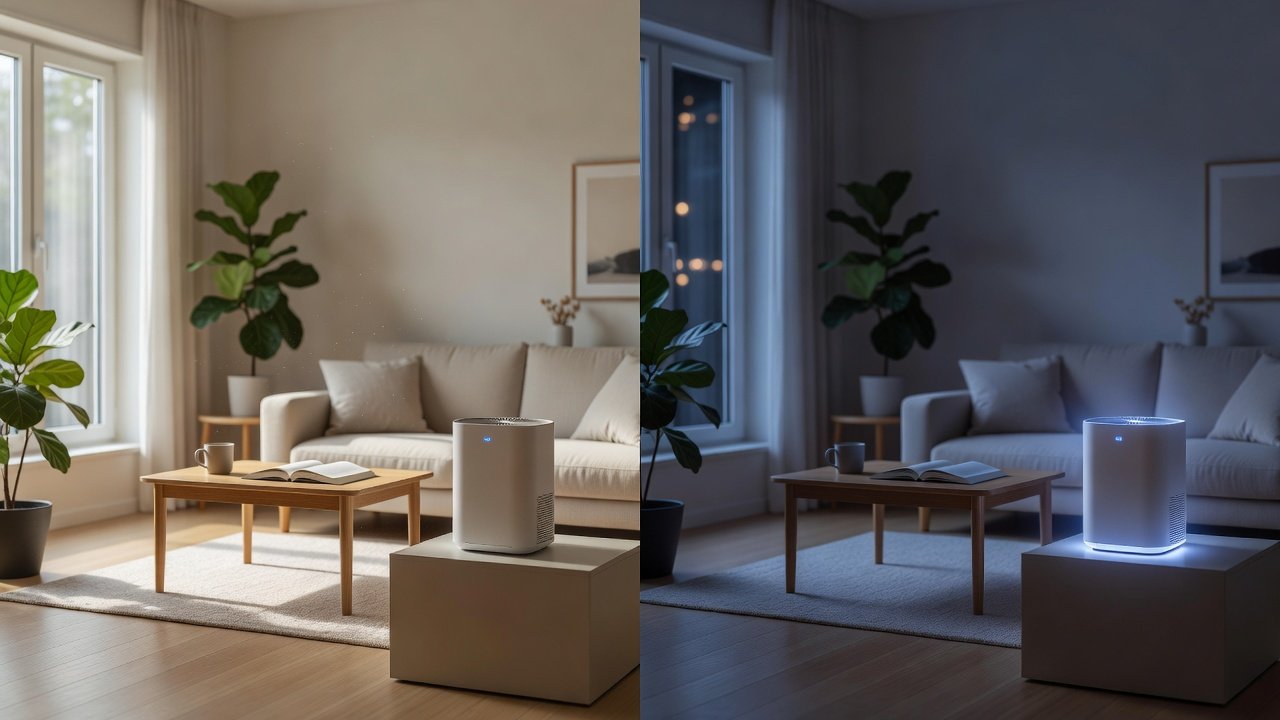
Most modern air purifiers include a night mode, sometimes called sleep mode. It lowers the fan speed, dims or turns off the lights and mutes beeps so the unit does not disturb sleep. By day, many people run the purifier at a higher speed, or on auto, to clean the air faster while the household is active. Understanding the trade-offs helps you set a routine that keeps the air clean and your nights quiet.
This guide explains what night mode does, what you give up, how to use daytime settings and how to set a simple schedule. We have not tested these products ourselves, and each model works differently, so read your manual and confirm specifications on the product page.
Night mode is best for
- Sleeping and quiet evenings
- Keeping lights dark in a bedroom
- Steady, low-speed filtration
Daytime settings are best for
- Cooking, cleaning and high activity
- Pollen or smoke events
- Fast cleaning after dust is stirred up
Key Takeaways
- Night mode trades cleaning speed for quiet and darkness; it is not meant for heavy cleaning.
- Use medium or higher speeds by day, and short boosts after cooking, cleaning or pollen exposure.
- Size the unit so low speed still moves useful air in your room.
- Check placement and lights if night mode still disturbs sleep.
Special Cases: Babies, Light Sleepers and Shift Workers
Some households have unusual sleep schedules. If you work nights and sleep by day, treat your sleep period as night mode, whenever it falls, and run a higher setting while you are awake. For a baby or a light sleeper, test the unit on its sleep setting before it is needed, listen from the sleeping position and adjust the placement. Make sure the cord and unit are safely out of reach in a nursery.
If two people share a room with different preferences, choose a setting that suits the lighter sleeper and use a small blackout cover or eye mask for the display if needed. A steady low hum can mask outside noise for some people, while others find any hum distracting. Experiment for a week or two before deciding.
When Night Mode Is Not Enough
If you wake with a stuffy nose, notice dust on surfaces or see that the air quality reading stays high in the morning, night mode may be too low for your room or the unit may be undersized. First check the filter and pre-filter. Next, check that doors and windows are closed. Then consider moving the unit, raising the night speed by one step or running the unit on a higher setting for an hour before bed.
If problems continue, consider a larger unit or a second one. If you have symptoms that concern you, speak with your doctor, since a purifier is a supportive measure and not a treatment. Confirm features and ratings for any new unit on the product page.
Maintenance Notes for Quiet Running
A dirty filter makes a purifier louder, because the fan has to work harder to pull air through it. Keeping the pre-filter clean and replacing the main filter on schedule is the cheapest way to keep night mode quiet. Wipe the intake grille and the fan outlet regularly, and check that nothing blocks them.
If the unit develops a rattle or whine at low speed, check that it is seated on a level surface and that the filter is fitted correctly. A loose filter door is a common cause of buzzing. If the noise persists, consult the manual or contact the maker. Confirm any warranty terms before attempting repairs yourself.
Air Purifiers to Compare
The table below lists purifiers from our affiliate partner. Compare smoke CADR, room size ratings and noise levels, and check the product page for sleep mode details.
Setting a Simple Routine
A practical routine is medium speed during the day, high for short periods after cooking or cleaning, and night mode while you sleep. If your unit has a schedule, program it. If it does not, make switching a habit when you go to bed.
If night mode still disturbs you, check the placement: move the unit farther from the bed, put it on a hard surface and make sure the intake is clear. If it is a noise problem on the lowest setting, the unit may be too powerful for the room, or a different design may suit you better.
Night Mode vs Daytime at a Glance
The table below summarizes the comparison.
| Factor | Night mode | Daytime settings |
|---|---|---|
| Fan speed | Low | Medium to high |
| Lights | Dimmed or off | On |
| Noise | Quietest | Louder |
| Cleaning rate | Lower | Higher |
| Best for | Sleep | Activity, pollen, smoke |
What Night Mode Usually Changes
Night mode typically does three things: it drops the fan to a low speed, dims or switches off the display and indicator lights, and sometimes silences button beeps. Some models also lock the settings or turn off the air quality light. The goal is quiet and dark, not maximum cleaning.
Because the fan runs slowly, the unit delivers less clean air per hour. In a correctly sized room, that is usually enough overnight, since the air has already been cleaned during the day and fewer particles are generated while you sleep.
Why Higher Speeds Help by Day
During the day, you and your household stir up dust, cook, open doors and bring in outdoor air. A higher speed or auto mode cleans faster, bringing particle levels down after these events. You do not need high speed all day. A short boost after vacuuming or cooking, then a return to low, balances cleaning and noise.
Auto mode can do this for you by watching a sensor, but sensors are approximate and may react to cooking aerosols, so check the behavior and adjust.
How Much Cleaning You Lose at Night
At night the fan runs slower, so the purifier delivers fewer cubic feet of clean air per minute. For example, a unit with a smoke CADR of 200 on high might deliver a fraction of that on its sleep setting. The effect on air changes depends on your room: in a small bedroom, even the low setting can give a couple of air changes per hour, which keeps levels down while you sleep.
Remember that at night there are fewer sources of particles: no cooking, no vacuuming, fewer people moving around. Pollen and dust that came in during the day have already been captured if you ran the unit then. This is why a daytime-high, nighttime-low routine works for many households.
Daytime Settings for Specific Situations
Some situations call for higher speeds. During high pollen days, run the unit on a higher setting in the room where you spend time, and keep windows closed. After vacuuming, sweeping or changing bedding, a boost for 30 to 60 minutes helps clear the dust you have stirred up. After cooking, a boost helps with aerosols and odors, though a kitchen exhaust fan is the first line of defense.
During wildfire smoke, run at a higher setting continuously in a single sealed room if you can, and follow local public health guidance. Return to a lower setting when conditions improve. If you have a medical condition, ask your doctor how to manage periods of poor air quality.
Choosing a Unit With Good Night Behavior
Look for a sleep mode that dims or turns off the display, silences beeps and sets the fan to a quiet speed. Check the sound rating on the lowest setting and, if you can, read user comments about real-world night noise. Also check whether auto mode can be disabled at night, since some units ramp up when the sensor detects a change and may wake you.
Consider the unit’s size relative to the room. A unit that is slightly oversized runs at a lower speed and is quieter than a small one pushed to its limit. The lowest setting should still move useful air; if the manual says it provides only minimal airflow, the unit may be too small for the room.
Placement and Light for Better Sleep
Place the unit a few feet from the bed, on a stable surface, with space around the intake and outlet. Avoid placing it on a nightstand pointing at your head. Keep the cord out of the way. If the unit has a bright indicator that cannot be dimmed, consider placing it out of your line of sight, or covering the light with a small piece of tape if the manual allows.
Turn off alerts and notifications from any app during the night. If you use a voice assistant, check that it will not announce filter status. Small changes like these make night mode genuinely restful.
Building a Routine You Will Keep
Choose a simple pattern: auto or medium during the day, a boost when needed, and sleep mode at bedtime. Use a timer or schedule if the unit has one. Re-check the pattern in different seasons: you may need more daytime running in spring and less in winter, depending on your pollen and heating conditions.
Maintain the filter on schedule and clean the pre-filter regularly. A routine you actually follow beats an ideal one you abandon, and a well-maintained unit works better in every mode.
How to Choose
- Check the noise level on the lowest and sleep settings.
- Look for dimmable or switch-off lights.
- Make sure the unit is sized so night mode still delivers useful airflow.
- Check for a timer or schedule.
- Avoid ozone generating or ionizer modes; the EPA advises against ozone-emitting air cleaners.
Do
- Match the unit’s rated coverage to your room first
- Run it consistently, not only when the air feels bad
- Leave space around the unit for airflow
- Replace filters on the maker’s schedule
Don’t
- Do not buy on looks or price alone
- Do not block the intake or exhaust
- Do not skip filter changes
- Do not expect a purifier to fix every source of pollution
Honest Limits
- This guide uses manufacturer information and public guidance from the EPA and AHAM, not our own lab tests.
- Features and room ratings change between model years, so confirm on the listing before you buy.
- A purifier is not a medical device and does not replace medical advice or treatment.
Who Should Skip This
When to See a Professional
Let night mode keep the room quiet, and let daytime settings do the heavy cleaning.
Frequently Asked Questions
What does night mode do?
It lowers the fan speed, dims lights and often silences beeps for quiet sleep.
Does night mode still clean the air?
Yes, at a lower rate. In a correctly sized room it is usually enough overnight.
When should I use high speed?
After cooking or cleaning, during pollen or smoke events, or when the air feels dusty.
Should I run the purifier all night?
Many people do on a low setting. Follow the manual and your own preference.
Why does my unit speed up at night?
Auto mode may respond to the sensor. You can usually choose a fixed speed.
Can I turn the lights off?
Most units let you dim or switch off the display.
Is a bigger unit quieter in night mode?
Often, since it can move the air at a lower speed.
Where should I place it in the bedroom?
A few feet from the bed with clear space around it.
Do I need a timer?
It is helpful for routines, though not essential.
Where do I confirm features?
On the product page and manual.
Bottom Line
Night mode keeps the room quiet and dark; use higher speeds by day to do the heavy cleaning.
Size the unit for the room, set a simple routine and confirm features on the product page.
Related reading: sens,fan,bed
Sources: EPA, Guide to Air Cleaners in the Home; AHAM Verifide.