Last updated:
As an Amazon Associate we earn from qualifying purchases. This does not change what we recommend. See our affiliate disclaimer.
The filter light on a GermGuardian purifier is helpful right up until the moment you have changed the filter and it is still glowing. Then it is a small daily irritation, and for many owners a source of doubt about whether the new filter is seated or whether the unit is faulty. In almost every case the answer is simpler: the indicator is a timer, and it needs to be told that the filter was replaced.
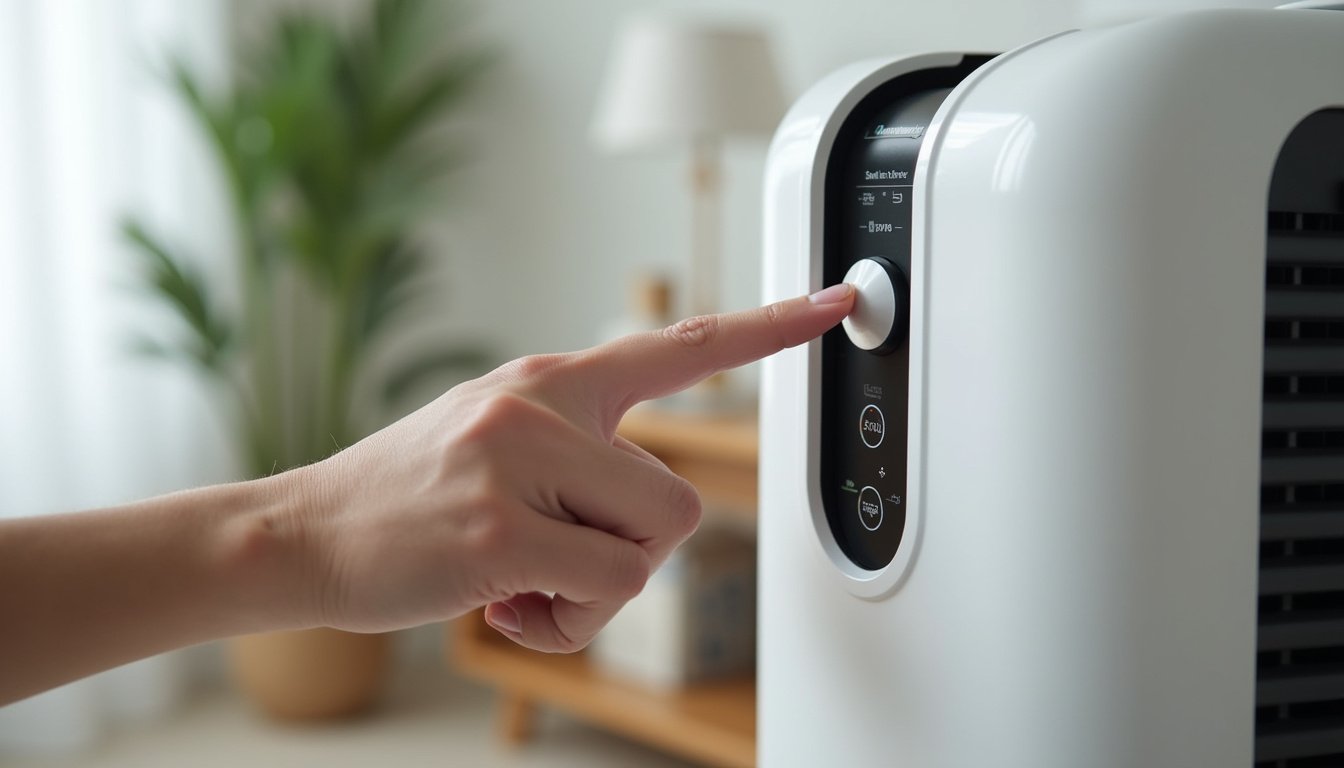
To reset the filter light on most GermGuardian tower purifiers, make sure the unit is plugged in and switched on, then press and hold the filter reset button, often marked with a filter icon or labeled Filter Reset, for about three to five seconds until the light goes out or blinks and clears. On models where the UV-C button doubles as the reset, hold that button instead. On units with a touch panel, hold the illuminated filter indicator itself. If the light returns within minutes, the hold was too short or the unit was off; if it returns within days, the filter may not be the one the timer expects, or the timer was reset before a change and has simply run its course. GermGuardian indicators count run time, not dust, so a fresh filter and a cleared timer are two separate steps.
In short: plug in, power on, hold the reset or UV-C button for several seconds until the light clears, and only do it immediately after fitting a new filter.
GermGuardian’s manuals describe the filter indicator as a reminder based on hours of operation and recommend replacing the HEPA filter every six to eight months depending on use, with the pre-filter and carbon layer often integrated. The EPA’s guidance on portable air cleaners is to follow the maker’s replacement schedule, and that advice applies whether or not the light is lit.
This guide is research-based, drawn from GermGuardian manuals and support pages, EPA guidance and general purifier mechanics. We have not tested the units in the comparison table and we quote no prices or ratings. Model button layouts vary; your manual is the final word.
Reset the light if
- You have just installed a new HEPA filter
- The light came on right after a change because it was not reset
- The unit was unplugged mid-change and the hold did not register
- The filter is visibly clean and well within its interval
Replace the filter instead if
- The pleats are gray or brown across the face
- The fan is louder or airflow weaker than it used to be
- It has been six to eight months or more of regular use
- The filter smells musty or has been damp
Key Takeaways
- GermGuardian filter lights are run-time timers; they do not sense how dirty the filter is.
- Reset by holding the filter reset or UV-C button for three to five seconds with the unit powered on.
- Reset only after installing a new filter; clearing the light on an old filter hides a real reminder.
- Confirm the filter is seated and the back cover latched, or the unit may not run at all.
- Inspect the filter visually every few months; replace at six to eight months or sooner in dusty or pet homes.
- A light that returns within minutes means the hold did not register; within days, check the filter and manual.
- Never wash the HEPA filter; only the removable pre-filter layer on some models is vacuumable.
Purifiers With Clear Filter Indicators to Compare
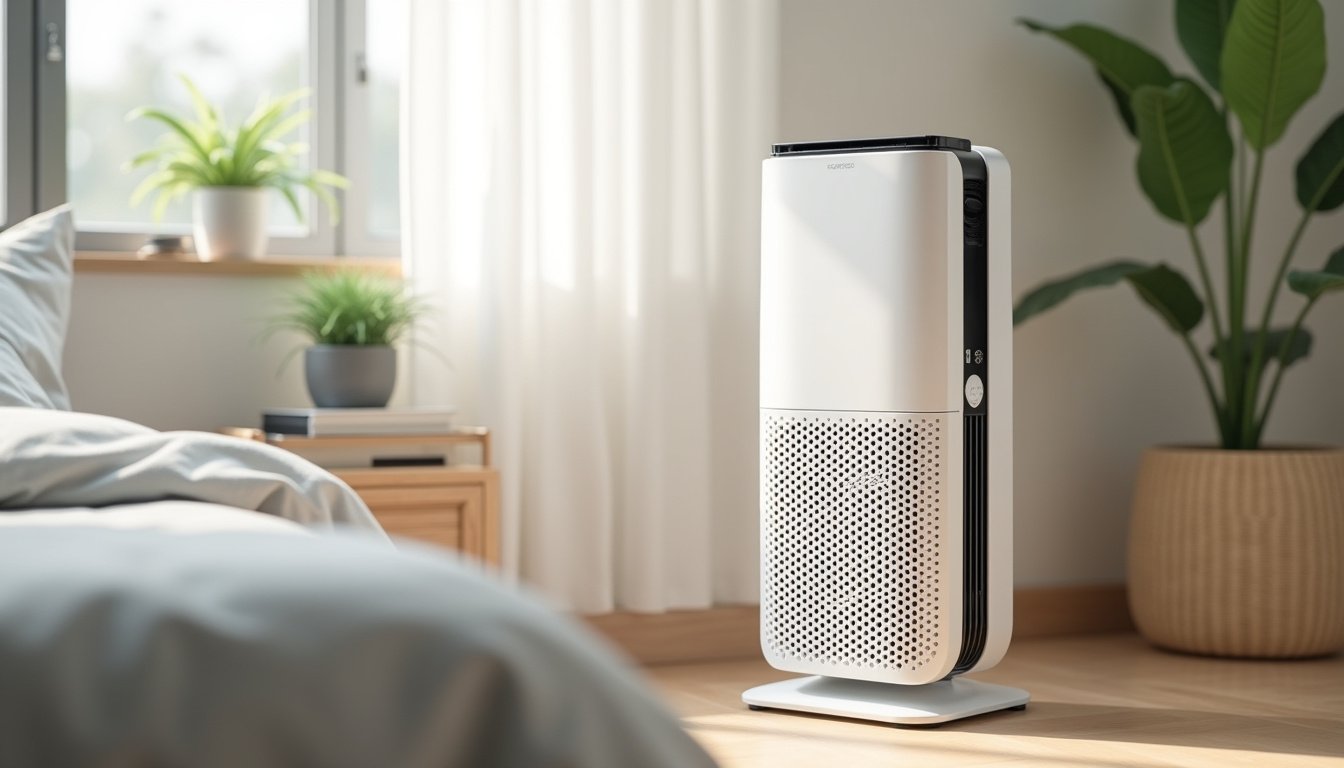
If the reset routine has you weighing a different unit, these widely reviewed filter-based models publish clear filter schedules and indicator types. Compare the maker-listed CADR and room size against your space and favor sensor-based indicators over plain timers.






How This Guide Was Put Together
We worked from GermGuardian’s published manuals and support guidance for its tower, table-top and combination units, plus EPA advice on filter maintenance and the general behavior of timer-based indicators. Product details in the table come from maker specifications.
One idea makes the rest easy: the light is a clock, not a sensor. It is set to go off after a fixed number of running hours. Resetting it restarts the clock, and nothing about the filter’s condition is read or changed.
What the Filter Light Actually Means
GermGuardian indicators track hours of operation. After a preset period of running, commonly aligned with the maker’s six to eight month replacement guidance for continuous use, the light comes on to prompt a filter change. It stays on until it is manually reset. The unit does not measure airflow, pressure drop or dust load, so the light can come on with a filter that still looks fine in a clean room, or stay off with a filter that is visibly clogged in a dusty one.
Treat the light as a reminder to inspect. If the filter is gray across the pleats, replace it and reset. If it is still white and airflow is normal, you may reasonably keep running it, but note that the timer will not warn you again, so set your own reminder. Many GermGuardian models also have a separate UV-C bulb indicator that works the same way for the lamp.
| Indicator behavior | What it means | What to do |
|---|---|---|
| Light on after many months of use | Timer reached its count | Inspect the filter; replace if loaded; reset after replacing |
| Light on immediately after a filter change | Not reset | Power on, hold reset for 3 to 5 seconds |
| Light returns within minutes of reset | Hold too short or unit off during hold | Repeat with the unit running; hold longer |
| Light returns within days | Timer was reset earlier without a change, or a second indicator is lit | Check which light it is; inspect filter; see manual |
| No light but filter is dark and fan is loud | Timer not yet reached but filter loaded | Replace anyway; reset |
| UV light blinking or on | Bulb reminder, not filter | Replace bulb per manual if your model has one |
Step-by-Step Reset
Button placement varies, but the sequence is the same across GermGuardian’s common families. Do this after the new filter is installed and the back cover is latched.
- Plug the unit in and switch it on at any fan speed. Most models will not accept a reset while off.
- Find the reset control: a button labeled Filter Reset or marked with a filter icon on many towers; the UV-C button on models that combine functions; the illuminated filter indicator itself on touch panels.
- Press and hold the control for three to five seconds. Do not tap it; a tap on the UV-C button simply toggles the lamp.
- Watch for the light to go out, blink and clear, or the panel to confirm. Release the button.
- If nothing changes, hold for up to ten seconds, then release and check again.
- Run the unit normally. The light should stay off for the next full interval.
Worked example: an owner of a tower model fits a new filter, closes the cover, and taps the UV-C button. The lamp toggles but the filter light stays on. Switching the unit on, then holding the same button for five seconds, clears it. The difference was the hold, not the button.
If the Light Will Not Reset
A stubborn light usually traces to one of a few things. The unit may have been off during the hold. The hold may have been too short; some units need a full five seconds and a few need longer. The wrong button may have been used on a model with several indicators. Occasionally a power cycle helps: unplug for a minute, plug back in, power on, then hold again.
- Confirm the back cover and filter are fully seated; some units will not run or reset with the cover ajar.
- Try the hold at a different fan speed in case the panel ignores input in a particular mode.
- Check whether the lit indicator is the UV bulb reminder rather than the filter light.
- If the light clears but returns within a day with a brand-new filter, the panel may have a fault; contact GermGuardian support rather than opening the housing.
Do not attempt to disable the light by disconnecting anything inside the unit. The panel and fan electronics are not user-serviceable, and the indicator is only a reminder; a unit that runs with the light on filters exactly as well as one with the light off.
| Attempt | Likely reason it failed | Fix |
|---|---|---|
| Tapped the button | A tap toggles UV or speed; reset needs a hold | Hold 3 to 5 seconds, up to 10 |
| Held with the unit off | Panel ignores input when off | Power on first, then hold |
| Held the wrong control | Several indicators on the panel | Identify the filter light; check the manual |
| Cover slightly open | Safety switch blocks operation | Re-latch the back cover fully |
| Cleared, then returned in a day | Second indicator or panel fault | Check UV reminder; contact support if it recurs |
Replace Before You Reset
The most common misuse of the reset is clearing the light without changing the filter, to stop the glow. That throws away the only reminder the unit gives. GermGuardian’s guidance is to replace the HEPA filter every six to eight months of regular use, and sooner in homes with pets, smoke, heavy dust or continuous high-speed operation. Many of its filters combine a carbon pre-filter layer with the HEPA; some models let you vacuum or replace that layer separately and more often.
| Filter component | Typical GermGuardian guidance | Signs it is due |
|---|---|---|
| HEPA filter | Replace every 6 to 8 months of regular use | Gray or brown pleats, weaker airflow, louder fan |
| Carbon pre-filter layer | Replace more often if separate; some are vacuumable | Odors return; visible lint and dust |
| UV-C bulb, where fitted | Replace per manual, often every 10 to 12 months | Bulb indicator lit; lamp not glowing when active |
| Pre-filter mesh on some models | Vacuum monthly | Visible fur and lint |
Use a filter made for the exact model. GermGuardian uses several filter sizes designated by letter, and a near-fit filter that does not seal lets dusty air bypass the media. Third-party filters vary in media quality; if you use one, confirm it is labeled true HEPA for your model and seats against the frame without gaps.
Keeping Track Between Lights
Because the timer cannot see dust, pair it with your own checks. Write the install date on the filter frame with a marker. Inspect the pleats every two or three months in good light against a white surface. Note airflow at the outlet and fan tone at your usual speed; a weaker breeze and a louder fan mean the filter is loading regardless of the timer. In a pet or smoke home expect to replace closer to six months than eight, and sometimes sooner.
While You Are at It: Airflow and Room Size
A filter change is a good moment to check that the unit suits the room. GermGuardian towers are generally rated for small to medium rooms. AHAM’s rule of thumb is a dust CADR of about two-thirds of the room’s floor area in square feet for 8 foot ceilings. A unit rated around 100 CADR serves a bedroom of roughly 150 square feet well; in a 300 square foot living room it will run on high constantly, load filters fast and trip the timer early. If that describes your situation, the fix is a larger unit for the big room and the GermGuardian in a bedroom where it fits.
Placement matters too. Give the tower a foot of clearance, keep it off deep carpet if the intake is low, and keep it away from curtains and furniture. Clear airflow extends filter life and keeps the fan quiet.
A Note on the UV-C Feature
Many GermGuardian models include a UV-C lamp. The maker positions it as reducing airborne germs; the EPA notes that UV in a fast-moving airstream has limited exposure time and that effectiveness in consumer units is not established. The HEPA filter does the particle work regardless. The lamp has its own reminder on some models, and replacing the bulb follows the manual. Leaving the UV off does not affect filtration, and the filter light reset works the same either way.
GermGuardian units are filter-based and do not include ionizers on most models; if yours has an optional ion feature, it can be left off without any effect on HEPA performance.
How to Handle the Filter Light in 6 Steps
- When the light comes on, inspect the filter rather than resetting immediately.
- If the pleats are dark or airflow is weak, buy the correct letter-designated filter for your model.
- Unplug, remove the back cover, swap the filter with the airflow arrow or label oriented as the manual shows, and latch the cover fully.
- Plug in, power on, and hold the Filter Reset or UV-C button for three to five seconds until the light clears.
- Write the date on the filter frame and set a reminder for about six months.
- Inspect every two to three months, sooner in pet or smoke homes, and replace on evidence even if the light is off.
Do and Do Not
Do
- Power the unit on before holding the reset.
- Hold the button for a full three to five seconds.
- Reset only after installing a new filter.
- Use the correct filter letter for your model.
- Write the install date on the frame.
Do not
- Do not tap the UV-C button expecting a reset; tapping toggles the lamp.
- Do not clear the light to silence it without changing the filter.
- Do not wash the HEPA filter.
- Do not open the housing beyond the filter compartment.
- Do not run the unit with the back cover ajar.
Who Should Skip This
If the light will not clear after several correct attempts with a new filter, and a power cycle does not help, skip further troubleshooting and contact GermGuardian support. Panel faults are not owner repairs, and the unit still filters normally with the light on in the meantime.
If the unit smells of burning, sparks, trips a breaker or the fan grinds, the filter light is irrelevant. Unplug it, do not run it again and contact the maker.
Honest Limits
- Button layouts differ by model; this guide describes common families and the manual governs.
- The indicator counts hours, not dust; it cannot tell you the filter’s true condition.
- Resetting does nothing to the filter itself.
- Third-party filters may not fit the frame or seal correctly.
- The reset procedure does not address weak airflow with a new filter, which is a fan or motor issue for the maker.
- UV-C effectiveness in consumer units is not established; the HEPA filter does the particle work.
When to See a Professional
Contact GermGuardian support for a light that will not reset after a correct hold with a new filter, for weak airflow with new filters, for a fan that grinds or rattles, or for any burning smell, sparking or breaker trip; stop using the unit for the electrical symptoms. None of these are home repairs.
See a doctor or allergist if symptoms persist in a room with a maintained, correctly sized purifier; the trigger may not be airborne or may need treatment beyond filtration. Nothing on this page is medical advice.
Frequently Asked Questions
How do I reset the filter light on a GermGuardian air purifier?
Plug the unit in and power it on, then press and hold the Filter Reset button, or the UV-C button on models that share the function, for three to five seconds until the light goes out or clears. On touch panels, hold the lit filter indicator. Do this right after installing a new filter.
Why is the filter light still on after I changed the filter?
The indicator is a run-time timer and does not know a filter was changed; it stays on until reset. Power the unit on and hold the reset or UV-C button for a full three to five seconds. A quick tap on the UV-C button only toggles the lamp.
Does the GermGuardian filter light detect a dirty filter?
No. It counts hours of operation and lights after a preset period aligned with the maker’s six to eight month guidance. It can come on with a clean filter in a clean room or stay off with a clogged one in a dusty room, so inspect the filter visually every few months.
Can I reset the light without changing the filter?
You can, but it discards the only reminder the unit gives and the timer will not warn you again for months. If the filter is still white and airflow is normal, you may run it longer, but set your own reminder and inspect it regularly.
How often should I replace a GermGuardian HEPA filter?
The maker’s guidance is every six to eight months of regular use, sooner in homes with pets, smoke, heavy dust or constant high-speed operation. Replace earlier if the pleats look gray or brown, the fan is louder, or airflow at the outlet is weaker.
Which button resets the filter light on my model?
Many towers have a dedicated Filter Reset button or use a long hold on the UV-C button; compact and touch-panel models often use a hold on the lit filter indicator. If the panel is not obvious, the manual or GermGuardian support lists the exact control for your model.
The light cleared but came back within a day. What now?
With a brand-new, correctly seated filter, a light that returns that quickly suggests the hold registered as a tap, a second indicator such as the UV bulb reminder is lit, or a panel fault. Repeat the hold with the unit running; if it recurs, contact GermGuardian support.
Can I wash a GermGuardian HEPA filter instead of replacing it?
No. Water damages the fine fibers and can leave moisture that grows mold, and the maker does not warrant washed filters. Only the removable pre-filter layer on certain models may be vacuumed. Replace the HEPA filter and then reset the light.
Do I need the exact GermGuardian filter for my model?
Yes, or an equivalent labeled for it. GermGuardian uses several filter sizes designated by letter, and a near-fit filter that does not seal lets dusty air bypass the media. If using a third-party filter, confirm it is true HEPA and seats against the frame without gaps.
Does the UV-C light reminder work the same way?
Yes. On models with a UV-C bulb, a separate indicator counts hours and prompts a bulb change, typically every 10 to 12 months per the manual, and is reset with a similar hold. Leaving the UV off does not affect the HEPA filter’s performance.
Bottom Line
Resetting the filter light on a GermGuardian purifier is a hold, not a tap: power the unit on, press and hold the Filter Reset or UV-C button for three to five seconds, and the light clears. Do it immediately after installing a new filter, write the date on the frame, and the indicator will prompt you again in several months.
Remember what the light is. It is a clock that cannot see dust, so inspect the filter every few months, replace at six to eight months or sooner in pet and smoke homes, never wash the HEPA, and treat weak airflow with a new filter or any electrical symptom as a conversation with the maker rather than a reset problem.
Related reading: Air purifier maintenance checklist, How long do HEPA filters last in air purifiers, Why isn’t my air purifier working.