Last updated:
Disclosure: As an Amazon Associate we earn from qualifying purchases. This does not change what we recommend. See our affiliate disclaimer.
The filter housing is the compartment that holds your filters and channels air through them. Dust, hair and debris collect there over time, and if you only ever change the filters, the housing keeps getting dirtier. Cleaning it every time you change a filter takes a few minutes and helps the new filter seal, reduces noise and keeps dust from being recirculated.
This guide gives a safe method. We have not tested these products ourselves, so follow your manual, since housings differ by model. Unplug the unit first, keep liquids away from electronics and do not force parts.
Do
- Unplug and remove the filters
- Vacuum dust from the compartment
- Wipe with a barely damp cloth and dry
Do not
- Spray liquid inside
- Touch fan blades or sensors
- Run the unit with the cover off
Key Takeaways
- Clean the housing at every filter change
- Vacuum first, then wipe with a barely damp cloth and dry
- Check seals and gaskets for damage
- Keep electronics and sensors dry
Tools and Supplies
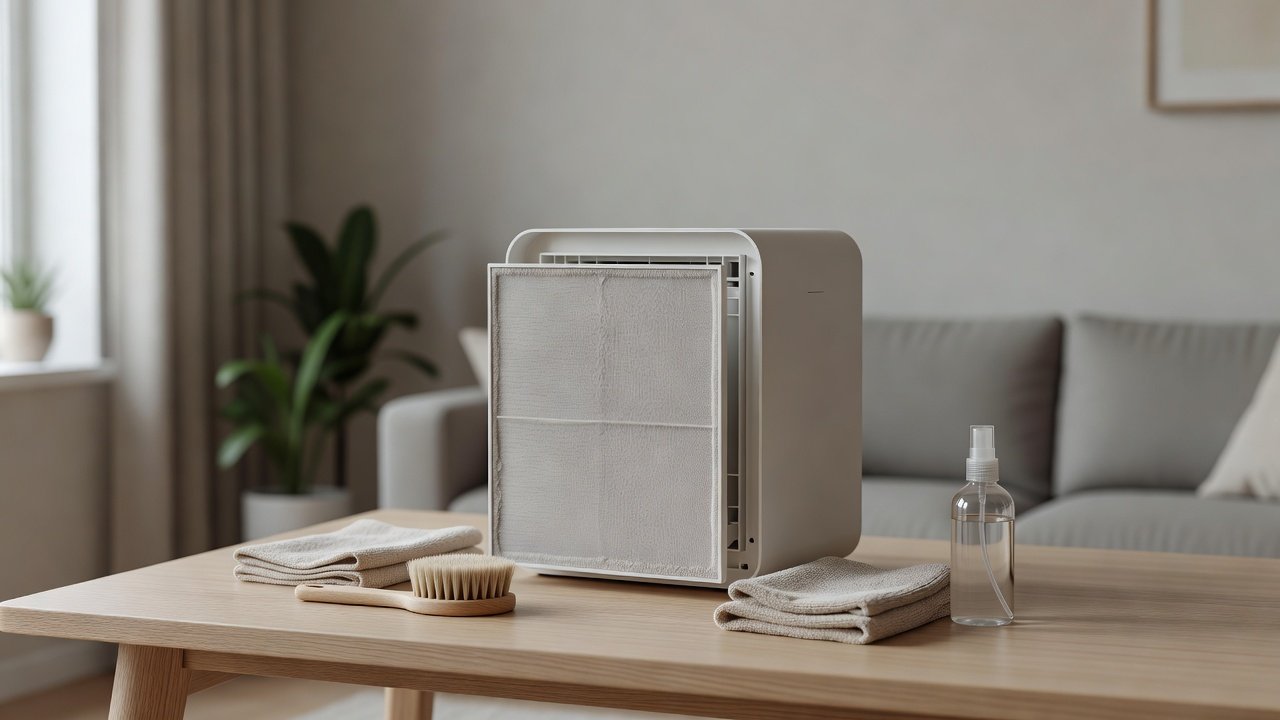
A vacuum with a soft brush attachment, microfiber cloths, soft brush, cotton swabs, a small torch, a towel, a bag for used filters and a camera. Avoid sharp tools, solvents and compressed air.
Cleaning With Multiple Compartments
If your unit has more than one compartment, clean each in turn and keep the filters in order. Label them with sticky notes if helpful. Photograph each compartment before cleaning.
Troubleshooting After Cleaning
If the unit is louder, check the filter direction and seat. If the filter light stays on, reset the timer. If airflow is weak, check the pre-filter. If an odor remains, replace the carbon filter. If problems persist, contact the manufacturer.
Choosing a Replacement
If the housing is cracked or warped, or the seals cannot be replaced, a new unit may be sensible. Choose a design with a smooth interior, good seals and accessible filters. Check noise, filter cost and warranty.
Dust Patterns That Tell You Something
Look at where dust lies in the housing. A streak along one edge of the seat suggests air is bypassing the filter there. A thick layer in the lower corners suggests settled dust that has been recirculating. Dust on the inside of the cover suggests a loose seal. Reading these patterns helps you fix the cause as well as the symptom.
Cleaning Around Guide Rails and Slots
Many housings have small rails or slots for the filter tray. Use a soft brush or a cotton swab to clean these, since dust and hair collect there and can stop the tray from seating. A plastic pick or a toothpick can lift stubborn lint. Avoid metal tools that can scratch the plastic and leave debris.
Special Care for Housings With Electronics
Some units have a display, a sensor or a circuit board close to the filter compartment. Keep the cloth dry or barely damp in these areas and do not press hard. If a ribbon cable or connector is visible, do not touch it. If you see corrosion or moisture, stop and contact the manufacturer.
After a Big Dust Event
After renovation, a dust storm or wildfire smoke, the housing may hold a lot of fine dust. Consider cleaning it once more a week after the event, when airborne dust has settled and been captured. Replace filters if they are heavily loaded and check that the seals are still intact.
Keeping a Cleaning Log for the Housing
Write the date of each housing clean next to the filter dates. Over time you will see how fast your home loads the housing and can adjust. A simple note on the unit or in your phone is enough. This also helps if you contact support.
Why Small Jobs Done Regularly Beat Big Ones Done Rarely
A few minutes with a vacuum at each filter change beats an hour of scrubbing once a year. Regular cleaning prevents build-up, keeps seals working and lets you catch damage early. Pair the job with your filter reminder so it becomes a habit.
Using the Filter Change as a Cleaning Trigger
Make the filter change the moment you do everything else: vacuum the housing, wipe the seat, check the gasket and clean the pre-filter. Doing it in one session makes it quick and keeps the unit in good shape. Put the next date in your calendar and mark the filter with the install date before you close the cover.
Why Spare Filters Make Cleaning Easier
When a spare set is ready, you can change filters as soon as the housing is clean and avoid running the unit with an old filter or no filter. It also removes the temptation to extend a filter past its life. Store spares in sealed bags in a dry place and keep them with the manual.
Air Purifiers With Easy-to-Clean Housings
If you want a unit that is easy to maintain, look for a smooth interior, clear filter access and good seals. These picks come from the Hostinger affiliate plugin. Specs change by model year, so confirm design details and filter costs on the product page.






Prepare and Remove the Filters
Unplug the unit and let it cool. Lay a towel on a flat surface. Take photos of the filter order and direction. Open the cover and remove the filters, placing them on a clean surface or in a bag if they are dusty. Work in a ventilated space.
Vacuum the Compartment
Use a vacuum with a soft brush attachment at low suction. Vacuum the walls, the floor of the compartment, the filter seat and the corners. Use a soft brush to loosen dust from grooves. A torch helps you see into dark corners. Do not push the nozzle into the fan area.
Wipe Surfaces
Dampen a microfiber cloth with water and, if needed, a drop of mild soap, then wring it out well. Wipe the walls and the seat, then dry with a clean cloth. Keep moisture away from electrical contacts, sensors and the fan. Let the compartment dry for a few minutes before putting in the filters.
Check Seals and Gaskets
Inspect the foam or rubber seals around the filter seat. They should be intact, flat and free of dust. Wipe them with a dry cloth. If they are torn, compressed or missing, contact the manufacturer for replacements. A bad seal lets air bypass the filter.
Reinstall and Test
Put the filters back in the right order and direction. Close the cover until it clicks. Plug in the unit and run it on low, then medium and high. Listen for whistles or rattles. Reset the filter timer if you changed filters. Log the date.
Why a Dirty Housing Matters
Dust in the housing can be blown into the room when the unit starts, can coat a new filter and can prevent the filter from seating. A clean housing makes new filters work as designed and reduces noise from poor seating. It also lets you spot problems such as cracks or damaged seals.
Pet Hair and Lint in the Housing
Hair collects in the corners and around the guides. Use a damp rubber glove or lint roller to gather it, then vacuum. In homes with pets, check the housing at every pre-filter clean. Watch for hair near the fan and contact the manufacturer if it wraps around the shaft.
Sensors and Electronics Inside the Housing
Some housings contain a filter-detection switch or an air quality sensor. Do not wet them. If the manual describes cleaning a sensor, use a dry cotton swab. Do not press on switches. If the unit shows an error after cleaning, check that the filters are seated and the cover is closed.
How Often to Clean
Clean the housing every time you replace main filters, and give it a quick vacuum every few months in dusty or pet-heavy homes. If you see dust at the outlet or notice a whistle, check the housing sooner.
Safety Notes
Unplug before cleaning. Do not use sprays or solvents. Do not run the unit with the cover off. If you see burn marks, melted plastic or damaged wires, stop using the unit and contact the manufacturer.
How to Choose
- Look for a smooth, accessible filter compartment
- Check the gasket design
- Prefer a washable pre-filter
- Compare replacement filter costs
Do
- Match the unit’s rated coverage to your room first
- Run it consistently, not only when the air feels bad
- Leave space around the unit for airflow
- Replace filters on the maker’s schedule
Don’t
- Do not buy on looks or price alone
- Do not block the intake or exhaust
- Do not skip filter changes
- Do not expect a purifier to fix every source of pollution
Honest Limits
- This guide uses manufacturer information and public guidance from the EPA and AHAM, not our own lab tests.
- Features and room ratings change between model years, so confirm on the listing before you buy.
- A purifier is not a medical device and does not replace medical advice or treatment.
Who Should Skip This
When to See a Professional
Frequently Asked Questions
How often should I clean the filter housing?
At each filter change, plus an occasional vacuum in dusty homes.
Can I wash the housing?
Wipe with a barely damp cloth. Do not soak or spray unless the manual says so.
What if a seal is damaged?
Contact the manufacturer for a replacement part.
Why does it whistle after cleaning?
A filter or cover may not be seated, or a seal may be folded.
Bottom Line
Clean the filter housing every time you change filters: unplug, remove the filters, vacuum the compartment, wipe with a barely damp cloth, dry, check the seals and reinstall in the right order. Keep electronics dry and replace damaged seals.
Related reading: sens,fan,bed
Sources: EPA, Guide to Air Cleaners in the Home; AHAM Verifide.