Last updated:
As an Amazon Associate we earn from qualifying purchases. This does not change what we recommend. See our affiliate disclaimer.
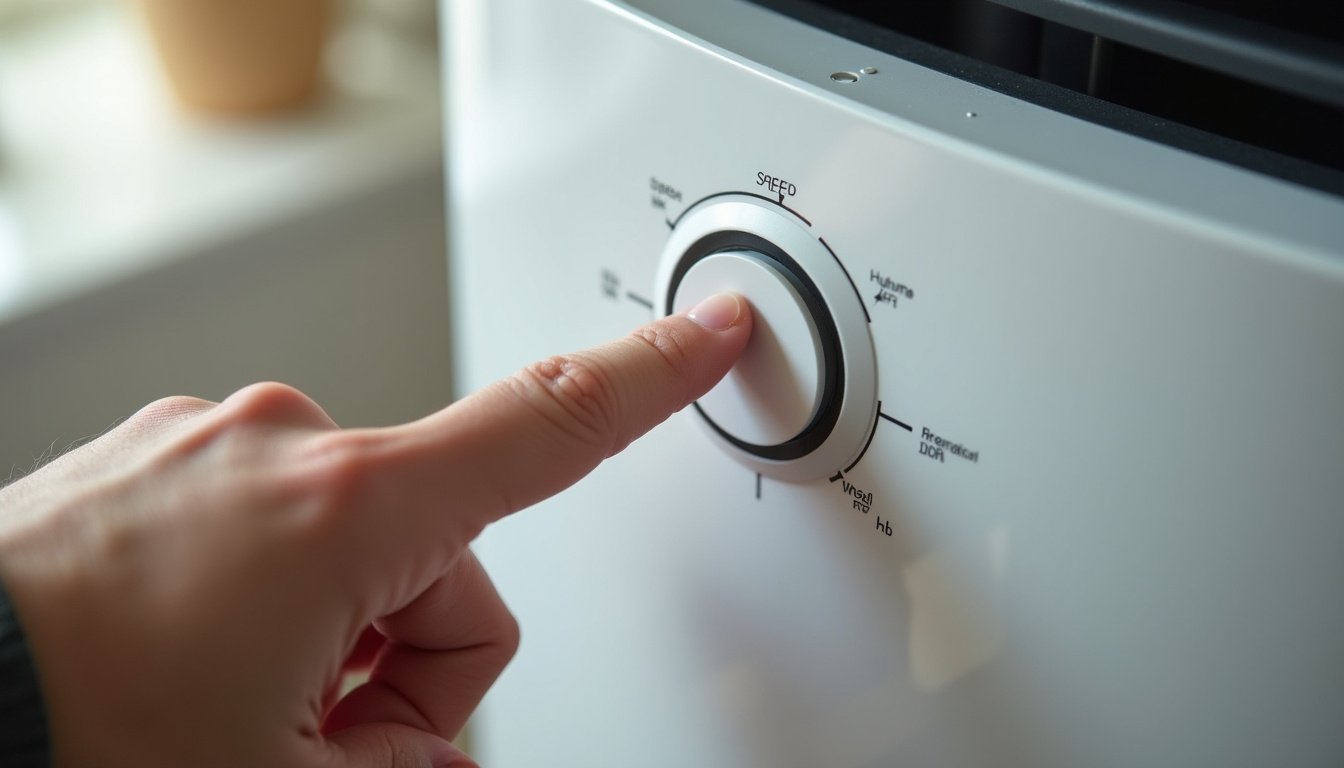
A purifier that will not change speed is maddening in a very specific way: the buttons light up, the fan runs, and nothing you press makes any difference. Before assuming the control board has died, it is worth knowing that most stuck-speed complaints are the unit obeying a setting its owner forgot about, and the rest are a dusty sensor or a tired remote.
When an air purifier’s fan speed is stuck or will not change, the cause is usually one of a few modes rather than a fault. Auto mode overrides manual speed buttons on many units and holds the fan wherever the particle sensor says it should be, which with a dusty sensor means low forever. Sleep or night mode caps the fan at low and often ignores the speed button until the mode is exited. A child lock disables the panel entirely after a long press, and some units lock automatically. A timer or schedule set through an app can hold a speed. Beyond modes, a remote with a weak battery or a blocked window appears to do nothing, and an app that has lost its connection shows controls that no longer reach the unit. Real faults, a worn button, a stuck speed relay or a failed board, are rarer and show up as a panel unresponsive in every mode.
In short: exit auto and sleep modes, release the child lock, clean the sensor and try the panel buttons directly. If the panel is dead in every mode with a fresh power cycle, it is a maker problem.
Maker manuals describe auto, sleep and lock modes and their indicator icons, the long-press sequences that enter and exit them, and the power-cycle reset that clears most control glitches. They also warn that a panel unresponsive after a reset is a service matter and that the housing should not be opened.
This guide is research-based, drawn from maker manuals and the way purifier control systems behave. We have not tested the units in the comparison table and quote no prices or ratings. Nothing here involves opening the housing or working on the control board.
Almost certainly a mode or setting if
- An auto, sleep, lock or timer icon is lit on the display
- The fan sits on low in a room that looks dusty
- The speed changes briefly and then returns to where it was
- The remote or app works but the panel does not, or the reverse
Likely a fault if
- The panel ignores every button in every mode after a power cycle
- Only one speed button has stopped working
- The fan runs at one speed regardless of mode, with no indicator lit
- Buttons respond intermittently or need very hard presses
Key Takeaways
- Auto mode holds the fan where the sensor says; with a dusty sensor that means low. Exit auto to use manual speeds.
- Sleep or night mode caps the fan at low and often ignores the speed button until the mode is exited.
- A child lock disables the panel after a long press; some units lock automatically. Check the lock icon.
- Timers and app schedules can hold a speed; check the app before blaming the unit.
- A dusty particle sensor is the most common reason auto mode never leaves low; clean the inlet with a dry swab.
- A remote with weak batteries or a blocked window does nothing; try the panel buttons directly.
- A panel dead in every mode after a power cycle is a control board or button fault for the maker.
Purifiers With Simple, Reliable Controls to Compare
If the control board has failed, these widely reviewed filter-based units have clear panels, well-labeled mode indicators and established maker support. Compare the maker-listed CADR against your room and favor models whose manual speeds and auto mode are plainly separate.






How This Guide Diagnoses a Stuck Speed
We listed every mode and setting that can hold a purifier’s fan speed, then the sensor, remote and app issues that mimic a stuck speed, then the hardware faults, and ordered the checks from most to least likely with the indicators that reveal each. Product details in the table come from maker specifications.
The useful habit is to read the display before pressing anything. Nearly every stuck speed is announced by an icon: a leaf or A for auto, a moon for sleep, a padlock for child lock, a clock for a timer.
Quick Diagnosis Table
| Symptom | Likely cause | Check | Fix |
|---|---|---|---|
| Fan stays on low; speed button does nothing | Auto mode with a dusty sensor, or sleep mode | Auto or moon icon lit | Exit the mode; clean the sensor inlet |
| Speed changes then drifts back | Auto mode re-asserting | Auto icon | Exit auto; use manual speed |
| No button responds | Child lock | Padlock icon | Long-press per the manual to unlock |
| Speed changes at set times | Timer or app schedule | Clock icon; app schedule | Clear the timer or schedule |
| Remote does nothing; panel works | Remote batteries or blocked window | Try panel | Replace batteries; clear line of sight |
| App controls do nothing | Wi-Fi disconnected or stale app session | App status | Reconnect; restart app and unit |
| Panel dead in every mode after power cycle | Control board or button membrane | Nothing works | Contact the maker |
| One speed button only has stopped working | Worn membrane contact | Other buttons fine | Use remote or app; maker for the panel |
| Fan speed changes but sound does not | Fan or motor control fault | Display shows change, airflow does not | Contact the maker |
| Fan stuck on high, loud | Auto with a high-reading sensor, or turbo mode | Auto icon; room has smoke, steam, fragrance | Exit auto; remove the trigger; clean sensor |
Cause 1: Auto Mode
Auto mode hands fan speed to the particle sensor, and on many units pressing the speed button while in auto either does nothing or changes the speed for a moment before auto takes it back. The fan sits wherever the sensor reading places it. A sensor whose inlet is coated in dust reads clean air permanently, so the fan idles on low in a room that is visibly dusty, which is the single most common stuck-speed complaint.
- Look for the auto indicator: an A, the word Auto, a leaf or a cycling arrows icon.
- Press the mode button to exit auto, or select a manual speed as the manual describes; some units need a specific button sequence.
- If the fan now responds to speed buttons, auto was the whole story.
- Unplug and clean the sensor inlet, a small vented window on the side or back, with a dry cotton swab or a hand bulb puff; never liquids or canned air.
- Return to auto later if you want it, and check that the fan now ramps up when you make the bed or vacuum.
Cause 2: Sleep Mode and Child Lock
Sleep or night mode caps the fan at its lowest speed, dims the display and on many units disables the speed button until the mode is exited; owners who set it once and forget find the fan stuck on low for days. A child lock disables the whole panel after a long press on a designated button, and some units engage it automatically after a period or when the cover is replaced. Both are announced by icons, a moon or Zz for sleep and a padlock for lock, though the icons may be dim or small.
| Mode | Indicator | What it does | How to exit |
|---|---|---|---|
| Sleep or night | Moon, Zz or Night | Caps fan at low, dims display, may ignore speed button | Press the sleep or mode button; some units exit on any speed press |
| Child lock | Padlock | Disables all panel buttons | Long press, usually 3 to 5 seconds, on the lock or power button |
| Turbo or boost | Turbo, Max or a fan icon | Holds high for a period | Press again or wait for the period to end |
| Eco | Leaf or Eco | May switch fan off when air is clean | Exit mode for continuous running |
| Timer | Clock or hours digit | Switches off or changes speed at a set time | Cancel the timer |
Worked example: a bedroom purifier has run on low for a week and the owner is sure it is faulty. The display shows a faint moon icon. Pressing the sleep button once restores the speed buttons; the unit had been put into night mode by a sleepy hand and never taken out.
Cause 3: The Sensor Is Driving the Speed
When auto mode is intended, a misbehaving sensor makes the speed seem stuck. A dusty lens pins it on low. A sensor near a kitchen, humidifier, bathroom door or scented candle reads high constantly and pins it on high, loud and unwanted. A gas or odor sensor, on units that have one, reacts to sanitizer, perfume and cleaning sprays and ramps the fan when nothing visible has changed.
- Clean the sensor inlet with a dry swab monthly.
- Move the unit away from steam, mist, cooking and fragrance sources.
- Power cycle in clean air; many units re-baseline the sensor on startup.
- Lower the sensor sensitivity if the manual offers the setting.
- If the sensor never changes after cleaning and a clean-air restart, run manual speeds; filtration is unaffected and sensor modules are maker parts.
Cause 4: The Remote or the App
A speed that cannot be changed from the remote but changes from the panel is a remote problem, and the usual causes are mundane: flat batteries, a battery inserted backwards, a blocked infrared window on the unit, direct sunlight on the receiver or a remote from a different model. Replace the batteries, point at the receiver from a few feet with a clear line, and test.
App control fails when the unit’s Wi-Fi connection drops, the router changes, the app session goes stale or the maker’s service is down. The app may show controls that no longer reach the unit. Check the unit’s Wi-Fi indicator, restart the app, power cycle the unit and re-pair if the manual describes it. If the panel works and only the app does not, the purifier is fine.
The Power-Cycle Reset
Control boards occasionally latch into a state where buttons are ignored, especially after a brief power interruption or static discharge. The fix is the same as for any small appliance: unplug the unit, wait a full minute so the board fully discharges, plug it back in and switch on. Many units also re-baseline their sensors on startup, so do this in clean, aired air.
- Unplug at the wall; do not just press the power button.
- Wait at least 60 seconds.
- Confirm the filter cover is latched; an unlatched cover stops the fan on many units and can look like a dead panel.
- Plug in and press power; try each speed button.
- If the fan now responds, the board had latched; nothing further is needed unless it recurs often, which points to a developing fault.
- If nothing responds in any mode, the panel or board has failed.
Cause 5: A Real Fault
When every mode is exited, the lock is off, the cover is latched, the unit has been power cycled and the panel still ignores every press, the problem is hardware. Membrane buttons wear and stop registering, usually one button first, then more. Touch panels fail from moisture or cracks. The relay or driver that switches fan speeds can stick, so the display shows a new speed while the fan stays where it was. The control board itself can fail outright, often after a surge or a spill.
| Symptom | Likely component | Owner action |
|---|---|---|
| One button dead, others fine | Worn membrane contact | Use remote or app; maker for the panel |
| All buttons dead, remote works | Panel or its cable | Use remote; maker for the panel |
| Display changes speed, fan does not | Speed relay or motor driver | Contact the maker; stop if the fan runs hot |
| Nothing works, no display | Power supply or board | Check outlet and cord; contact the maker |
| Buttons work when pressed hard or at an angle | Membrane wearing | Maker for the panel; avoid forcing |
| Panel failed after a spill or steam | Moisture on the board | Unplug; do not use; contact the maker |
Living With a Partly Working Panel
A purifier whose panel has failed but whose remote or app still works is not finished. Set it to a fixed medium speed from the working control and leave it; a purifier is meant to run continuously anyway, and most owners rarely touch the panel once it is set. Keep the remote in a fixed place and spare batteries nearby. If only the app works, make sure the unit’s Wi-Fi is stable and that the maker’s service remains supported for the model.
If no control works and the unit powers on at a usable fixed speed, it can still serve a room until replaced, provided the speed is not the loud top setting and the unit shows no other faults.
Preventing Stuck Speeds
- Learn the mode icons on your display and check them before pressing speed buttons.
- Clean the sensor inlet monthly so auto mode has something to work with.
- Keep the unit away from steam, mist, cooking and fragrances that pin the sensor high.
- Use a fixed manual speed overnight and auto by day, so sleep mode and auto do not fight.
- Store the remote in one place and change its batteries yearly.
- Keep drinks and sprays away from the panel; moisture is the common killer of touch controls.
- Power cycle once if buttons misbehave; recurring latch-ups are an early warning worth reporting to the maker under warranty.
How to Unstick the Fan Speed in 6 Steps
- Read the display: look for auto, sleep, lock, timer or turbo icons and exit each one as the manual describes.
- Try the panel, remote and app separately to find which control paths work.
- Unplug for a minute, confirm the cover is latched, plug in and test every speed.
- Clean the sensor inlet with a dry swab and power cycle in clean air if auto mode is wanted but stuck.
- Replace remote batteries and check line of sight; reconnect Wi-Fi and restart the app if those are the failing paths.
- If the panel ignores every press in every mode after a power cycle, contact the maker; meanwhile run a fixed speed from any control that works.
Do and Do Not
Do
- Check mode icons before assuming a fault.
- Clean the sensor inlet monthly.
- Power cycle for a full minute.
- Test panel, remote and app separately.
- Run a fixed medium speed if one control still works.
Do not
- Do not open the housing or spray cleaner into the panel.
- Do not press buttons with tools or excessive force.
- Do not assume auto mode is broken because the fan is on low.
- Do not leave sleep mode on by day and wonder why high is unavailable.
- Do not run a unit whose fan speed display and actual airflow disagree if it runs hot.
Who Should Skip This
If any mode icon is lit, skip the hardware worry. Exit auto, sleep, lock, timer or turbo as the manual describes and the speed buttons return. This is the answer in most cases.
If the panel is dead in every mode after a full power cycle with the cover latched, skip further pressing. It is a membrane, panel or board fault; use the remote or app if they work, and contact the maker.
Honest Limits
- Mode names, icons and exit sequences differ by brand; the manual governs.
- Some units cannot change speed in auto by design; that is a feature, not a fault.
- A sensor-driven speed is only as good as the sensor’s cleanliness and placement.
- Remote and app issues are often outside the purifier entirely.
- Panel, relay and board faults are not owner serviceable and parts are rarely sold.
- Nothing here applies to units that have been wet, which are a maker safety matter.
When to See a Professional
Contact the maker for a panel that ignores every press in every mode after a power cycle, a display that changes speed while the fan does not, buttons that need force, or any unit that has been wet or runs hot; stop using a unit with heat or burning smells. Under warranty, control faults are usually resolved by replacement.
See a doctor or allergist if symptoms persist in a room where a purifier runs continuously on a fixed speed; the trigger may not be airborne. Nothing on this page is medical advice.
Frequently Asked Questions
Why will my air purifier not change speed?
Most often because a mode is holding it: auto mode keeps the fan where the sensor says, sleep mode caps it at low, a child lock disables the panel, or a timer or app schedule has set it. Check the display for an auto, moon, padlock or clock icon and exit the mode.
Why does my purifier stay on low in auto mode?
The particle sensor is reading clean air, usually because its inlet is coated in dust. Unplug and clean the small sensor window with a dry cotton swab, run a manual medium for a day, then return to auto; it should ramp up when you make the bed or vacuum. Sensors that never change have failed.
How do I turn off the child lock on my air purifier?
Look for a padlock icon, then hold the lock button or the button the manual specifies, usually the power or mode button, for three to five seconds until the icon goes out. Some units engage the lock automatically after a period or when the cover is refitted, so check it after any change.
I pressed the speed button and it changed, then went back. Why?
Auto mode is re-asserting control. Many units allow a temporary override that lasts seconds or minutes before the sensor takes the speed back. Exit auto mode with the mode button and select a manual speed if you want the fan to stay where you put it.
Why does the remote not change the fan speed?
Flat or reversed batteries, a blocked or sunlit infrared window on the unit, or a remote from a different model. Try the panel buttons; if they work, the remote is the problem. Replace the batteries and point it at the receiver from a few feet with a clear line of sight.
Why does the app show controls that do nothing?
The unit has lost its Wi-Fi connection, the router changed, the app session is stale or the maker’s service is down. Check the unit’s Wi-Fi indicator, restart the app, power cycle the unit and re-pair if the manual describes it. If the panel works, the purifier itself is fine.
How do I reset my air purifier when the buttons stop working?
Unplug at the wall, wait a full minute so the board discharges, confirm the filter cover is latched, plug in and press power. Do this in clean air since many units re-baseline the sensor on startup. If every button still fails in every mode, the panel or board has failed.
The display shows a new speed but the fan does not change. What is wrong?
The speed relay or motor driver is likely stuck, so the board commands a speed the fan never receives. That is a hardware fault for the maker. If the fan runs hot or sounds strained, stop using the unit; otherwise run it at whatever speed it holds until the maker advises.
Can I keep using a purifier whose panel has died?
Yes, if the remote or app still works: set a fixed medium speed and leave it, since purifiers are meant to run continuously. If no control works but the unit powers on at a usable speed, it can serve until replaced. Panels and boards are not owner repairs and are rarely sold as parts.
Why is my purifier stuck on high and loud?
Auto mode with a sensor reading high: steam, cooking, a humidifier, fragrance or sanitizer near the inlet, or a contaminated sensor. Exit auto or move the trigger away, clean the sensor inlet and power cycle in clean air. Turbo or boost modes also hold high for a set period.
Bottom Line
An air purifier with a stuck fan speed is usually a purifier following instructions it was given earlier. Auto mode, sleep mode, a child lock, a timer or an app schedule each hold the speed and each announces itself with an icon, and a dusty sensor turns auto into a permanent low. Read the display, exit the mode, clean the sensor and the buttons work again.
When they do not, isolate the control path, panel, remote and app, power cycle for a full minute and accept the result: a panel dead in every mode is a maker matter, and a unit that still obeys its remote can run on a fixed medium for years. Nothing about a stuck speed calls for opening the housing or pressing harder.
Related reading: Why isn’t my air purifier working, Air purifier odor or gas sensor not working, Should you leave a HEPA air purifier on all the time.