
Last updated:
As an Amazon Associate we earn from qualifying purchases. This does not change what we recommend. See our affiliate disclaimer.
A purifier should make one sound, a steady fan. When a second sound appears, a soft rapid flutter like a card in a bicycle wheel or a flag in the wind, it is both irritating and informative. Fluttering is almost always something thin and loose being moved by the airflow, and the sound itself tells you roughly where to look.
A fluttering noise from an air purifier is nearly always caused by a flexible object vibrating in the airstream rather than by the fan or motor itself. The common culprits, in rough order, are a filter edge or pre-filter mesh that is not fully seated and lifts in the airflow, a loose corner of a pre-filter sheet or a filter frame label, a piece of shipping plastic, paper or a pet hair clump drawn into the intake and resting against the fan guard, a flap or louver on the outlet that is loose or has lost a clip, a cover panel vibrating against the housing because a latch is not fully engaged, or a curtain, bag or sheet of paper outside the unit being pulled against the intake grille. Occasionally the sound comes from inside the fan, where a blade is touching debris or a cracked blade tip is ticking. Fan and motor problems sound different, a steady tick or grind, and belong to the maker.
In short: unplug it, open the filter compartment, look for anything thin and loose, reseat the filter and pre-filter, latch the cover, clear the grilles, and the flutter is usually gone.
Maker manuals describe the correct seating of filters and covers and advise unplugging before opening the filter compartment, and they are consistent that owners should not open the housing beyond that compartment. The EPA’s guidance on portable air cleaners notes that noise is a key reason units get switched off, which makes a small flutter worth fixing promptly.
This guide is research-based, drawn from maker manuals and the way thin materials behave in moving air. We have not tested the units in the comparison table and quote no prices or ratings. Anything involving the motor, wiring or opening the housing belongs to the maker.
Fix it yourself if
- The noise started after a filter change or cleaning
- It changes or stops when you press on the cover or grille
- Something visible is loose in the filter bay or against the intake
- It is a soft flutter, not a tick, grind or squeal
Contact the maker if
- The sound is a rhythmic tick that rises and falls exactly with fan speed and nothing is visible
- You hear grinding, squealing or scraping
- The fan wobbles or a blade tip looks cracked
- There is any burning smell, heat, smoke or sparking
Key Takeaways
- Fluttering is a thin, loose object moving in the airstream, not usually the fan or motor.
- The filter edge, pre-filter sheet and their labels are the first places to look.
- Shipping plastic, paper, hair clumps and leaves get drawn against the fan guard and flutter there.
- Loose outlet louvers and covers vibrate against the housing when a clip or latch is not engaged.
- Objects outside the unit, curtains, bags and papers, flutter against the intake grille.
- A rhythmic tick in time with fan speed points to the blades and is a maker issue.
- Unplug before opening anything, and never reach into the fan or open the housing beyond the filter bay.
Quiet, Well-Built Purifiers to Compare
If a persistent noise has you weighing a replacement, these widely reviewed filter-based units publish low-speed noise figures and use secure, gasketed filter bays. Compare the maker-listed CADR and noise on medium against your room so the unit runs quietly where you need it.






How This Guide Diagnoses Noise
We sorted purifier noises by their character, flutter, tick, rattle, hum, grind, and matched each to the components that produce it, drawing on maker manuals and the behavior of fans and thin materials in airflow. Fixes are limited to the filter compartment and the outside of the unit. Product details in the table come from maker specifications.
The most useful trick is isolation: change one thing at a time, filter out, pre-filter out, cover off, grille cleared, and listen after each. The flutter stops when its cause is removed.
What the Sound Tells You
| Sound | Character | Likely source | Who fixes it |
|---|---|---|---|
| Flutter | Soft, rapid, irregular, like a flag or card in spokes | Loose filter edge, pre-filter, label, plastic, paper, hair, louver, external object | You |
| Rattle | Hard, buzzing, worse on high | Cover not latched, filter loose in bay, object in the bay | You |
| Tick | Regular, speeds up and slows with the fan | Blade touching debris, cracked blade tip, hair wrapped on the hub | You if visible debris; otherwise maker |
| Hum or drone | Steady, low, may change with placement | Vibration against wall or floor; motor | You for placement; maker if motor |
| Whistle | High, steady | Air through a gap or a clogged pre-filter | You: reseat filter, clean pre-filter |
| Grind, squeal, scrape | Harsh, continuous | Bearing or motor | Maker; stop using |
Isolating the Cause in Five Minutes
- Note whether the flutter changes with fan speed, and whether it stops when you press gently on the cover, the top grille or the sides.
- Unplug the unit.
- Open the filter compartment and look for anything loose: a lifted filter edge, a pre-filter sheet with a free corner, a label peeling from a frame, plastic or paper, hair clumps against the fan guard.
- Remove the pre-filter and main filter and look into the fan bay with a flashlight for debris resting on the guard or around the hub; remove anything you can reach without touching the blades or inserting tools.
- Check the outlet grille and any louvers for loose fins or a missing clip.
- Refit the filters properly, latch the cover until it clicks, plug in and run on each speed, listening.
- If the flutter is gone, you are done; if it persists, continue through the specific causes below.
Cause 1: A Filter Edge or Pre-Filter Lifting
The most common flutter is the filter itself. If one edge of a panel filter is not pressed home, the airflow lifts and drops it against the gasket many times a second. Pre-filter sheets, thin fiber or mesh layers held by clips or by the main filter, flutter when one corner is free. Cylindrical filters that are not fully seated can rock and flutter against the housing at the base.
Reseat the filter with the airflow arrow or label oriented as the manual shows, pressing evenly until the frame sits flush all around. Lock every clip and confirm the pre-filter is held on all its tabs. A replacement filter that is slightly undersized will keep fluttering because the cover cannot press it home; use the exact part for the model.
| Filter situation | Flutter clue | Fix |
|---|---|---|
| Panel filter one edge proud | Flutter stops when you press the cover | Reseat flush; latch cover |
| Pre-filter sheet corner free | Flutter from inside the bay, changes when sheet is pressed | Re-clip or re-seat the sheet on all tabs |
| Cylindrical filter rocking | Flutter at the base, worse on high | Seat fully; check locating tab and orientation |
| Undersized replacement | Flutter returns after reseating | Fit the exact filter |
| Shipping plastic still on | Loud flutter from new filter | Unwrap completely |
Cause 2: Labels, Plastic, Paper and Hair
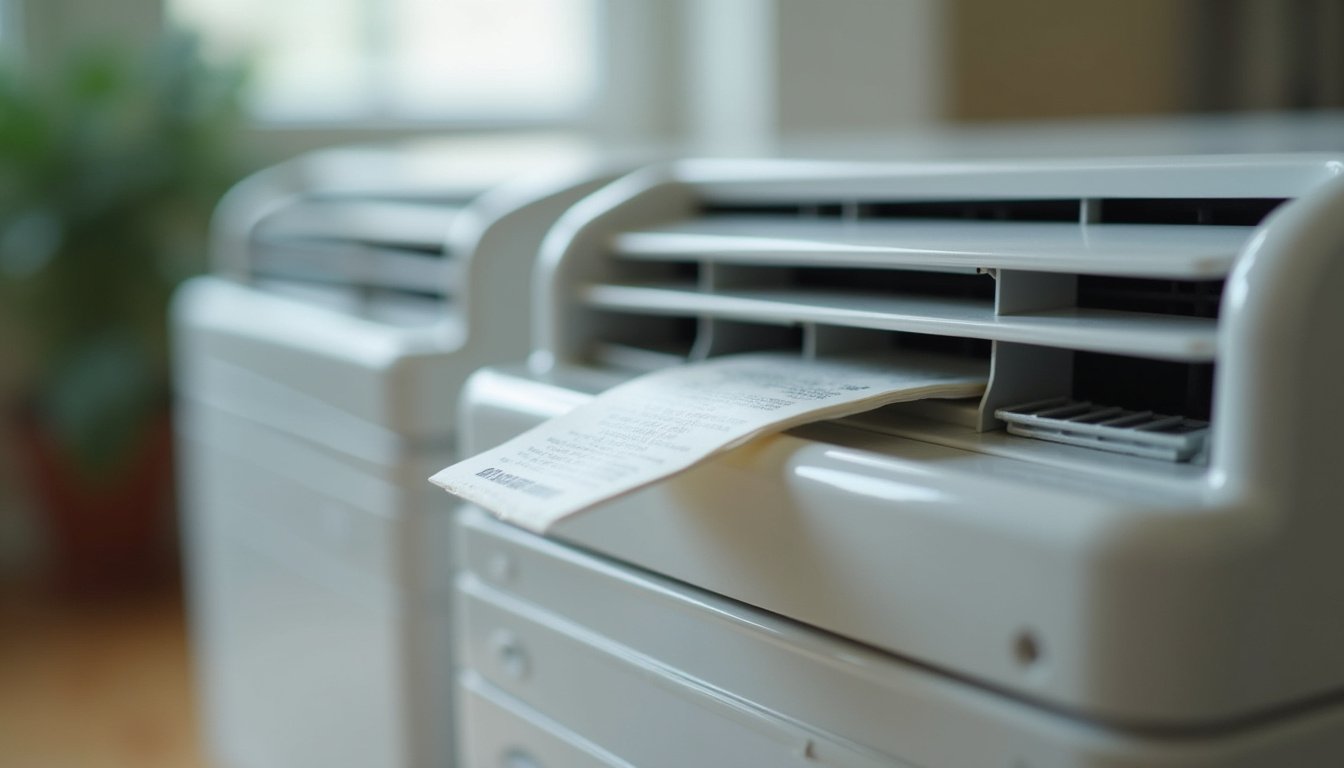
Thin things love to flutter. A frame label peeling at one corner, a strip of shipping plastic missed when unwrapping a filter, a receipt or tissue sucked against the intake, a dryer sheet, a leaf, a clump of pet hair draped over the fan guard: each is a classic flutter and each is removed in seconds once found. They tend to collect on the intake side of the filter bay or against the guard between filter and fan, where airflow is strongest.
Press labels down firmly or remove loose ones from filter frames before installation. Vacuum the filter bay with a brush attachment when the filters are out, and brush hair off the fan guard with a soft brush or your fingers, never a tool inserted toward the blades. In pet homes, cleaning the pre-filter every two weeks stops hair reaching the bay at all.
Cause 3: Loose Louvers, Grilles and Covers
Outlet louvers, adjustable vanes and snap-on grilles sit in the fastest air the unit produces, and one with a lost clip or a cracked pivot flutters constantly. Covers and panels that are not latched fully vibrate against the housing with a flutter that often becomes a rattle on high speed. Both change immediately when you press on them, which is the diagnostic.
- Press each louver or vane; a loose one moves more than its neighbors and often clicks back into a seat.
- Check snap-on grilles for all their tabs; refit any that have popped out.
- Latch the cover until it clicks and confirm it sits flat; test it empty if it will not.
- If a louver pivot is cracked or a grille tab is broken, contact the maker for the part rather than gluing it, since adhesive can foul the airflow path.
- Worked example: a tower unit developed a flutter on medium and high only. Pressing the top outlet ring silenced it. One of three snap tabs on the ring had popped during a move; pushing it home ended the noise without any part needed.
Cause 4: Something Outside the Unit
Not every flutter is inside. A curtain hem, a plastic bag, a sheet of paper on a nearby desk, a loose rug fringe or a houseplant leaf can be drawn against the intake grille and flutter there, especially on units with a strong rear or side intake. The sound seems to come from the purifier because it is, but the object is outside.
Give the unit a foot of clearance on all sides, keep it off deep carpet if the intake is at the base, move papers and bags away, and tie back or shorten curtains that reach it. Clear intake space also improves airflow and filter life.
Cause 5: Debris at the Fan or a Damaged Blade
If a flutter persists with the filters out and the bay clean, or if it has a regular tick that rises and falls exactly with fan speed, the fan itself is involved. A blade may be brushing a hair clump or a bit of plastic wrapped on the hub, a blade tip may be cracked and ticking against the guard, or the fan may be slightly off its shaft after a fall. Debris you can see and reach from the bay without touching the blades can be removed with the unit unplugged; anything else is beyond owner maintenance.
| Fan symptom | Meaning | Action |
|---|---|---|
| Flutter stops with filters out, bay clean | Cause was in the filters; refit properly | Done |
| Tick in time with speed, debris visible on hub | Hair or plastic wrapped on the fan | Remove gently if reachable without touching blades; otherwise maker |
| Tick, nothing visible | Cracked blade tip or warped blade | Contact the maker |
| Fan visibly wobbles | Fan off its shaft or bearing failing | Stop using; contact the maker |
| Grind, squeal, heat | Bearing or motor failing | Stop using; contact the maker |
Related Sounds: Hum and Whistle
Two other new sounds are often reported alongside flutter. A hum or drone that changes when the unit is moved is vibration transmitted into a hollow wall, a resonant dresser top or a bare floor; a rubber mat under the unit or a few inches of distance from the wall usually fixes it. A whistle is air being forced through a narrow gap, either around a poorly seated filter or through a clogged pre-filter; reseating the filter and cleaning the pre-filter usually ends it.
Both are worth fixing for the same reason as flutter: a purifier that makes a noise you notice is a purifier that gets switched off, and a purifier that is off cleans nothing.
Preventing the Next Flutter
- Unwrap new filters completely and remove or press down every label before installing.
- Reseat filters with the arrow oriented correctly and lock every clip and tab after cleaning.
- Latch covers until they click, every time.
- Clean the pre-filter every two to four weeks, every two weeks with pets, so hair never reaches the fan guard.
- Keep a foot of clearance around the unit and move papers, bags and curtains away from the intake.
- Set the unit on a firm, flat surface or a rubber mat, off deep carpet if the intake is at the base.
- Listen once a week at your usual speed; a new sound caught early is a thirty-second fix.
How to Silence a Fluttering Purifier in 6 Steps
- Note whether the flutter changes with speed or stops when you press on the cover or grille, then unplug.
- Open the filter bay and remove anything thin and loose: lifted filter edges, free pre-filter corners, labels, plastic, paper, hair.
- Take the filters out and inspect the fan guard and bay with a raking flashlight; remove reachable debris without touching the blades.
- Check outlet louvers, grilles and the cover for loose tabs and latches; press them home.
- Clear a foot around the unit and move curtains, bags and papers away from the intake.
- Refit the filters correctly, latch the cover, run on each speed and listen; a persistent tick, grind or wobble goes to the maker.
Do and Do Not
Do
- Unplug before opening the filter bay.
- Reseat filters and lock every clip.
- Press labels down or remove them from frames.
- Clean the pre-filter regularly in pet homes.
- Give the unit clearance from curtains and papers.
Do not
- Do not insert tools or fingers toward the fan blades.
- Do not remove the fan guard or open the housing.
- Do not glue louvers or blades.
- Do not run a unit that grinds, squeals or wobbles.
- Do not ignore a new noise; it is why purifiers get switched off.
Who Should Skip This
If the sound is a regular tick that speeds up and slows down exactly with the fan and nothing is visible in the bay, skip the hunt for loose objects. That is a blade or hub issue, and the maker’s support line is the next step; running it longer risks more damage.
If there is any burning smell, heat at the housing, smoke or sparking along with the noise, skip every diagnostic step. Unplug the unit, do not run it again and contact the maker.
Honest Limits
- Housing and fan designs vary; the manual’s diagrams show what is reachable from the filter bay on your model.
- Some flutters are intermittent and need a few minutes of listening at each speed to reproduce.
- Debris deep in the fan or wrapped on the hub is not owner-serviceable.
- A cracked blade can sound like a flutter at some speeds and a tick at others; when in doubt, contact the maker.
- Fixing noise does not change sizing; a loud unit at the speed the room needs is a sizing problem.
- Nothing here applies to the motor, wiring or electronics.
When to See a Professional
Contact the maker for any rhythmic tick with nothing visible, grinding, squealing, a wobbling fan, debris beyond reach from the filter bay, a cracked louver or grille tab, or any burning smell, heat, smoke or sparking; stop using the unit for the safety symptoms. Fan and motor faults are warranty or replacement matters, not home repairs.
See a doctor or allergist if symptoms persist in a room with a correctly working purifier; the trigger may not be airborne. Nothing on this page is medical advice.
Frequently Asked Questions
Why is my air purifier making a fluttering sound?
Something thin and loose is vibrating in the airflow: a filter edge or pre-filter corner not fully seated, a peeling frame label, shipping plastic, paper or pet hair against the fan guard, a loose outlet louver or cover, or a curtain or bag drawn against the intake. Unplug, open the filter bay and look.
How do I find what is fluttering inside the purifier?
Unplug, open the filter compartment, and shine a flashlight at a low angle across the bay and fan guard so thin plastic and hair stand out. Remove the pre-filter and filter and check their edges and labels. Change one thing at a time, filters out, cover off, and listen after each.
Is a fluttering noise dangerous?
Usually not; it is a loose object or edge moving in the air. It becomes a concern if it is accompanied by a rhythmic tick in time with fan speed, grinding, a wobbling fan, heat or a burning smell, which point to the fan or motor. Unplug and contact the maker in those cases.
The noise started right after I changed the filter. Why?
The new filter is probably not fully seated, is slightly undersized, has shipping plastic or a loose label still on it, or the pre-filter was refitted on only some of its tabs. Unplug, unwrap completely, reseat with the arrow oriented correctly, lock every clip and latch the cover until it clicks.
Why does the flutter stop when I press on the cover?
Because the cover or a grille is the loose part, vibrating against the housing. Latch the cover until it clicks and check it sits flat; press any outlet louvers or snap-on grilles back onto their tabs. A cover that will not latch flat with the filter removed needs the maker’s replacement.
Can pet hair cause a fluttering noise?
Yes. Hair that passes a dirty or missing pre-filter collects on the fan guard and flutters in the airflow, and hair wrapped on the hub can tick against the blades. Clean the pre-filter every two weeks in pet homes and brush hair off the guard with the unit unplugged, without touching the blades.
Could the noise be coming from outside the unit?
Often. A curtain hem, plastic bag, loose paper, rug fringe or plant leaf drawn against the intake grille flutters there and sounds like the purifier. Give the unit a foot of clearance, move papers and bags, and keep curtains and rugs away from the intake.
Can I reach into the fan to remove debris?
Only what you can reach with your fingers from the filter bay with the unit unplugged, and without touching the blades or inserting tools. Do not remove the fan guard. Debris wrapped on the hub or beyond reach is the maker’s job; running the unit with a blade touching debris risks damage.
What does a regular ticking sound mean?
A tick that speeds up and slows down exactly with the fan points to the blades: a cracked tip touching the guard, debris on the hub or a fan off its shaft. If nothing visible can be removed from the bay, stop using the unit and contact the maker; it is not a home fix.
How do I stop the flutter from coming back?
Unwrap filters fully and press or remove labels, seat filters with the arrow correct and lock every clip, latch covers until they click, clean the pre-filter every two to four weeks, keep a foot of clearance from curtains and papers, and listen once a week so any new sound is caught early.
Bottom Line
A fluttering air purifier is almost always a thin, loose thing in moving air: a filter edge, a pre-filter corner, a label, a scrap of plastic, a clump of hair, a loose louver, a cover not quite latched, or a curtain against the intake. Unplug, open the filter bay, look with a raking light, reseat and latch everything, clear the grille, and the sound is gone in minutes.
Know the one exception. A regular tick that tracks fan speed, a grind, a wobble or any heat or burning smell is the fan or motor, and that belongs to the maker, not to fingers or tools. Fix the flutter promptly either way, because a purifier that makes a noise you notice is a purifier that ends up switched off.
Related reading: Why isn’t my air purifier working, Air purifier filter falling out, Quiet air purifiers for the bedroom.