Last updated:
As an Amazon Associate we earn from qualifying purchases. This does not change what we recommend. See our affiliate disclaimer.
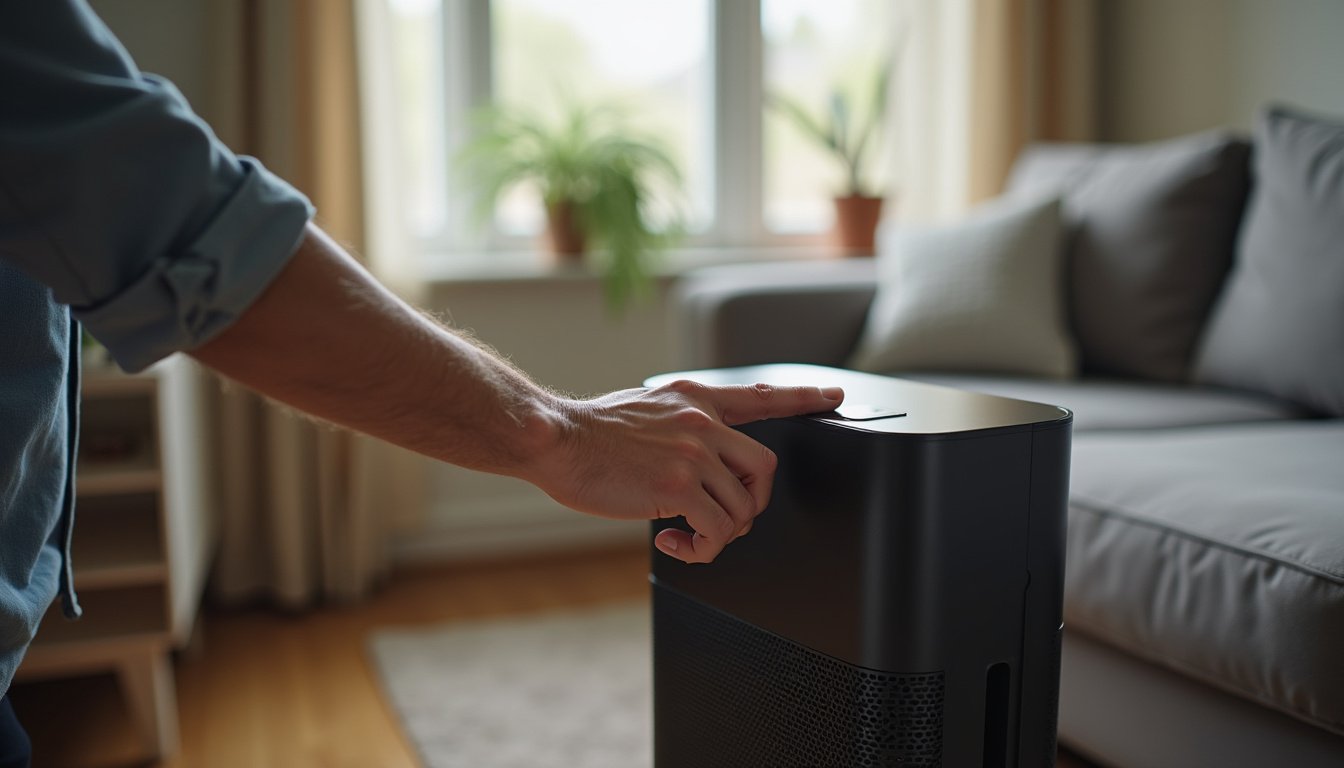
You press the power button and nothing happens. No light, no fan, no beep. The unit worked yesterday, or it is new out of the box, and now it is a silent plastic tower. Before assuming it is dead, know that most purifiers that will not turn on are stopped by something simple, not broken.
An air purifier that will not turn on is usually stopped by one of a handful of causes, most fixed in minutes. In rough order of likelihood: the outlet is dead or the plug loose; a power strip or smart plug is off; the filter cover is not fully latched, which trips a safety switch that cuts power until it clicks home; the filter is still in its plastic wrap and an airflow interlock refuses to start; the child lock is engaged; the unit is in a sleep mode that looks like off; or the cord or adapter is damaged. Only after those come real faults: a blown internal fuse, a failed control board or a seized motor, which on most consumer units means a warranty claim or replacement rather than a repair. The order matters because people replace units that only needed the cover pressed shut, and because a damaged cord or a burning smell is a reason to unplug, not to keep pressing buttons. Work through the checks from the wall inward and the cause usually shows itself. Electrical faults belong with the maker, not with a screwdriver.
In short: check the wall and cord, then the filter cover, the filter wrap and the child lock, then the display mode. If all of those pass, the fault is internal and the next call is to the maker.
Maker manuals from the major brands list the same first checks for a unit that will not start: a live outlet, a fully closed filter cover, filters unwrapped and seated, and the child lock released. CPSC and UL safety guidance advises against opening sealed appliances and against using any appliance with a damaged cord.
This guide is research-based, drawn from maker troubleshooting manuals and consumer electrical safety guidance. We have not tested the units in the comparison table and quote no prices or ratings.
Most likely causes, in order
- Dead outlet, loose plug, or a power strip or smart plug switched off
- Filter cover or back panel not latched; the safety switch cuts power
- New filter still in its plastic wrap
- Child lock engaged, or a sleep mode that looks like off
Stop and call the maker if
- The cord, plug or adapter is damaged, hot or discolored
- There is a burning smell, buzzing or a tripped breaker
- The unit passes every external check and still shows nothing
- It is under warranty; opening it voids coverage
Key Takeaways
- Most purifiers that will not turn on are stopped by the outlet, the cord, an unlatched filter cover, a wrapped filter or the child lock.
- Test the outlet with a lamp and plug the unit straight into the wall, bypassing strips and smart plugs.
- Press the filter cover firmly until it clicks; the safety interlock cuts all power until it does.
- Remove the plastic wrap from new filters; many units refuse to start with it on.
- Hold the lock button for three to five seconds to release a child lock, and check for display-off or sleep modes.
- A damaged cord, a burning smell or a tripped breaker means unplug and contact the maker, not keep trying.
- Internal fuses, control boards and motors are maker repairs; opening a sealed unit voids the warranty.
Purifiers With Clear Fault Indicators and Simple Power Design
These widely reviewed units use a plain detachable cord or standard adapter, a filter cover that clicks audibly into place and an indicator panel that shows lock and sleep states, so the usual reasons for a dead unit are visible rather than hidden. Specifications come from the makers.






How This Guide Approaches the Question
We organized the causes from the wall socket inward, in the order maker manuals and repair experience suggest, so each check rules out the most common cause before the next. Product details in the table come from maker specifications.
Two minutes with a lamp, a firm push on the filter cover and a long press on the lock button resolve most dead-purifier calls before any thought of repair.
Step 1: Check the Power Source
Start at the wall. Plug a lamp into the same outlet; if it does not light, the outlet is dead, a breaker has tripped or a GFCI outlet nearby has tripped and needs its reset button pressed. If the lamp works, check what is between the wall and the purifier: power strips with their own switch, smart plugs that may have been scheduled off or lost their network, extension cords with a bad connection, and timers. Plug the purifier directly into the wall outlet to remove all of them from the picture. Make sure the plug is pushed fully in at the wall and, if the cord detaches at the unit, fully in there too.
| Check | How | If it fails |
|---|---|---|
| Outlet live | Plug in a lamp | Reset breaker or GFCI; try another outlet |
| Power strip or smart plug | Bypass; plug straight into the wall | Replace strip; check smart plug schedule |
| Plug seated | Push firmly at wall and at unit | Reseat; check for bent pins |
| Adapter brick | Feel for warmth; look for an indicator LED | Dead adapter; contact maker for replacement |
| Cord condition | Look along full length for cuts, kinks, crushed spots | Stop; do not use; contact maker |
Step 2: The Filter Cover Interlock
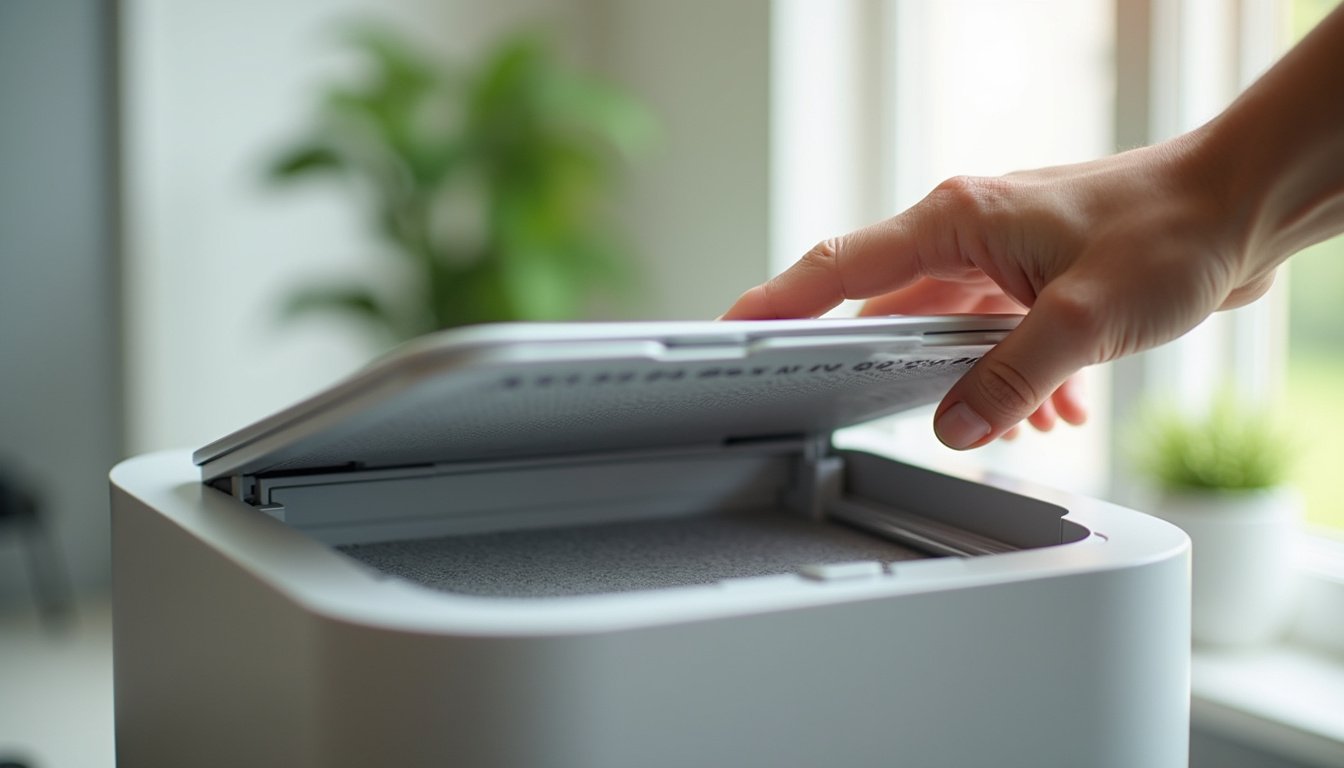
Nearly every purifier has a safety switch that cuts power when the filter cover, back panel or grille is open, so the fan cannot run with blades exposed. If the cover is a few millimeters short of fully latched, after a filter change, a cleaning or a bump, the switch stays open and the unit is dead with no light at all. Remove the cover completely, check that nothing is caught in the edge, the filter is pushed fully home and any foam gasket is flat, then refit the cover and press around its edge until it clicks. On units with a magnetic panel, make sure it sits flush on all sides. This single step accounts for a large share of dead units after a filter change.
Some units also have a small switch or tab inside the housing that the cover presses; if it is stuck or the plastic tab on the cover has broken off, the unit will not start even with the cover on. Look for a broken tab on the cover edge.
Step 3: Filter Still Wrapped or Not Seated
New filters ship in plastic bags, and many units will not start, or start and shut down within seconds, when a wrapped filter blocks airflow; some have a pressure or airflow sensor that interprets no flow as a fault. Take the filter out, remove every piece of plastic, check the airflow arrow or the tab orientation printed on the frame, and seat it fully. On units with separate pre-filter, HEPA and carbon layers, check that they are stacked in the order the manual shows; a reversed stack can prevent the cover from latching.
Step 4: Child Lock, Sleep and Display-Off Modes
If a unit has power but the buttons do nothing, the child lock is the first suspect. It is usually released by holding a lock button, or the power or fan button, for three to five seconds, and the panel shows a padlock icon while engaged; the manual gives the exact combination. Sleep and night modes dim or switch off the display and run the fan on its lowest, nearly silent setting, which can look exactly like off; hold a hand at the outlet for airflow before concluding the unit is dead. Some units also have a display-off setting independent of sleep, and app-controlled units can be scheduled off or switched off remotely by another household member.
| Symptom | Likely mode | Fix |
|---|---|---|
| Buttons do nothing; padlock icon shown | Child lock | Hold the lock or power button 3 to 5 seconds |
| No display; faint airflow at outlet | Sleep or night mode | Press any button; check mode setting |
| No display; no airflow; app shows off | Scheduled or remote off | Check app schedule; power on from app |
| Display on; fan not running | Auto mode idling in clean air | Set a manual fan speed to confirm |
| Beeps but will not start | Cover or filter interlock | Reseat filter and cover |
Step 5: Reset the Unit
If the power checks pass and no mode explains it, do a power-cycle reset: unplug the unit, wait sixty seconds so the control board fully discharges, then plug it in and press power once. Some units have a specific reset combination, such as holding the power and fan buttons together, listed in the manual; app-connected units may need their network reset if the app shows them offline but the panel is also dead. A reset clears a control board that has hung after a power flicker, which is a common cause of a unit that was fine yesterday and dead today.
- Unplug at the wall.
- Wait 60 seconds.
- Check the filter cover is latched and the filter unwrapped.
- Plug in directly to the wall outlet.
- Press and hold the power button for two seconds.
- If the panel lights but the fan does not run, select a manual speed.
- If nothing lights, try the maker’s reset combination from the manual.
Step 6: Internal Faults and When It Is Really Dead
When the outlet is live, the cord and adapter are sound, the cover is latched, the filter is right, no mode is engaged and a reset changes nothing, the fault is inside: a blown thermal fuse after a motor overheated, a failed power supply or control board, or a motor that has seized. These are not user repairs. Consumer purifiers are sealed appliances, opening them voids the warranty and exposes mains wiring, and parts are rarely sold to the public. Contact the maker with the model and serial number and the checks you have done; under warranty they will usually replace the unit, and out of warranty the realistic choice is replacement, since repair cost often approaches the price of a new unit.
| Sign | Likely internal cause | Action |
|---|---|---|
| Dead after a burning smell | Motor or board failure; thermal fuse | Unplug; do not use; contact maker |
| Dead after a power surge or storm | Power supply or board | Contact maker; consider a surge protector in future |
| Hums but fan does not spin | Seized motor or jammed fan | Unplug; check for obstruction through grille; contact maker |
| Panel flickers, resets, shuts down | Power supply or loose internal connection | Contact maker |
| Tripped breaker when plugged in | Short circuit inside | Unplug; do not use; contact maker |
| Works on one outlet only | Adapter marginal, or house wiring | Try a third outlet; electrician if outlets differ |
Preventing the Next Dead Unit
Most no-start calls follow a filter change or a move, so make the cover latch a habit: press until it clicks and check the panel lights before walking away. Route the cord where it will not be crushed by furniture or chewed by pets. Plug into a wall outlet or a surge protector rather than a daisy-chained strip. Keep intake and outlet clear so the motor does not overheat and trip its thermal fuse. And read the lock and sleep sections of the manual once, so a dark panel does not look like a dead machine.
Worked example: a purifier goes dead the morning after a filter change. The outlet runs a lamp, the cord is fine, and the panel is dark. The owner removes the back cover, finds the new HEPA filter in its plastic sleeve preventing the cover from seating, unwraps it, refits it with the arrow pointing inward, presses the cover until it clicks, and the panel lights. Total time, three minutes; no call to the maker.
How to Fix a Purifier That Will Not Turn On in 6 Steps
- Test the outlet with a lamp, bypass any strip or smart plug, and inspect the full cord and adapter for damage; stop if any is found.
- Remove the filter cover entirely, check nothing is caught, and refit it with firm pressure until it clicks all round.
- Take the filter out, remove all plastic wrap, orient it per the arrow or tabs, and seat it fully.
- Hold the lock button three to five seconds to release a child lock, and check sleep, display-off and app schedules.
- Unplug for 60 seconds, plug straight into the wall, and hold power for two seconds; try the maker’s reset combination if listed.
- If nothing lights after all of that, or there was a smell, buzz or tripped breaker, unplug and contact the maker with the model and serial number.
Do and Do Not
Do
- Test the outlet with a lamp first.
- Press the filter cover until it clicks.
- Unwrap and correctly seat new filters.
- Check the child lock and sleep mode before assuming failure.
- Contact the maker for internal faults.
Do not
- Do not open a sealed purifier; it voids the warranty and exposes mains wiring.
- Do not use a unit with a damaged cord or plug.
- Do not keep pressing power after a burning smell or tripped breaker.
- Do not tape or splice a power cord.
- Do not run through a daisy chain of power strips.
Who Should Skip This
If the unit is under warranty and has passed the external checks, skip any further investigation and contact the maker; most will replace it, and anything you open or modify ends that option.
If the cord, plug or adapter shows any damage, heat or discoloration, skip every other step: unplug and treat the cord as the fault until the maker replaces it.
Honest Limits
- Button combinations for locks and resets vary by model; the manual is authoritative.
- Interlock designs differ; some units cut power, others show an error code.
- We cannot diagnose internal faults remotely, and neither can most owners safely.
- Replacement cords and adapters should come from the maker to match voltage and polarity.
- House wiring faults are an electrician’s job, not covered here.
- Nothing here is a substitute for the maker’s instructions or for electrical safety guidance.
When to See a Professional
Contact the maker for any internal fault, a damaged cord or adapter, or a unit that passes every external check and stays dead; opening the appliance yourself voids the warranty and exposes mains wiring.
Call an electrician if the outlet itself is dead and resetting the breaker or GFCI does not restore it, if the breaker trips repeatedly, or if outlets in the room behave differently; those are house wiring faults, not appliance faults.
Frequently Asked Questions
Why won’t my air purifier turn on?
Usually something simple: a dead outlet or loose plug, a power strip or smart plug switched off, a filter cover not latched so the safety switch cuts power, a new filter still in its plastic wrap, or a child lock or sleep mode. Only after those are ruled out is an internal fault likely.
My air purifier has no lights at all. What does that mean?
No lights means no power is reaching the control board, which points to the outlet, cord, adapter or the filter cover interlock rather than a mode. Test the outlet with a lamp, plug the unit straight into the wall, inspect the cord, then remove and refit the filter cover until it clicks all round.
Why won’t my new air purifier turn on out of the box?
Most often the filter is still in its plastic sleeve, which blocks airflow or stops the cover from latching, so the interlock keeps the unit off. Remove the filter, strip all wrap, refit it with the arrow pointing inward, press the cover until it clicks, plug into the wall and hold power for two seconds.
The buttons do nothing but the unit seems to have power. Why?
The child lock is probably engaged; a padlock icon usually shows on the panel. Hold the lock button, or the power or fan button on some models, for three to five seconds to release it. If that fails, unplug for sixty seconds to reset the control board and try again.
Could my purifier be on but look off?
Yes. Sleep or night modes switch the display off and run the fan at its quietest speed, and some units have a separate display-off setting. Hold a hand at the outlet grille to feel for airflow before deciding it is dead, and press any button to wake the panel.
How do I reset an air purifier that won’t turn on?
Unplug it at the wall, wait sixty seconds so the board discharges, confirm the filter cover is latched and the filter unwrapped, plug directly into the wall and hold power for two seconds. Some models have a reset combination, such as holding power and fan together, listed in the manual.
My air purifier stopped working after I changed the filter. What happened?
The cover is almost certainly not fully latched, or the new filter is wrapped or reversed so the cover cannot seat. Remove the cover, take the filter out, strip any plastic, check the orientation arrow, refit the filter fully and press the cover around its edge until it clicks. The interlock then restores power.
Is it safe to open my air purifier to fix it?
No. Consumer purifiers are sealed appliances with mains wiring inside, parts are rarely sold to the public, and opening the case voids the warranty. If the external checks pass and the unit stays dead, contact the maker with the model and serial number; under warranty they usually replace it.
My purifier smells of burning and now won’t turn on. What should I do?
Unplug it and keep it unplugged. A burning smell followed by a dead unit points to a motor, board or power supply failure and often a blown thermal fuse, which are fire-relevant faults. Do not press the button again or open the case; contact the maker and describe the smell and the sequence of events.
Can a power cut or surge kill an air purifier?
Yes. A surge can damage the power supply or control board, and a flicker can hang the board so the unit looks dead until reset. Try the sixty-second unplug reset first; if the unit stays dead, contact the maker. A surge protector at the outlet is cheap insurance for the replacement.
Bottom Line
An air purifier that will not turn on is far more often stopped than broken. The outlet, a switched-off strip, a cover not pressed home, a filter still in its wrap, or a child lock explain most dead units, and each takes a minute to check. Work from the wall inward, press the cover until it clicks, unwrap the filter, release the lock and do a sixty-second unplug reset.
If every external check passes and the unit stays dark, or if there has been a burning smell, a buzz or a tripped breaker, stop. Those are internal electrical faults, and the right move is to unplug and contact the maker rather than to open the case. A damaged cord gets the same treatment: unplug, stop using it, and wait for the maker’s replacement.
Related reading: Air purifier fan speed stuck, Air purifier causing power outage, How to fix air purifier power cord.